
 EN
EN


Heartopia


Written by
Want to immerse yourself in the magical, relaxing atmosphere of Heartopia? The game may look simple, but it's packed with different mechanics and resources to manage. This Heartopia beginner's guide will save you time. I'll help you get off to a good start and avoid any mistakes!
During your very first steps in Heartopia, you'll create your character. I wouldn't recommend spending too much time on this, as you'll be able to customise your avatar very early on in the game.
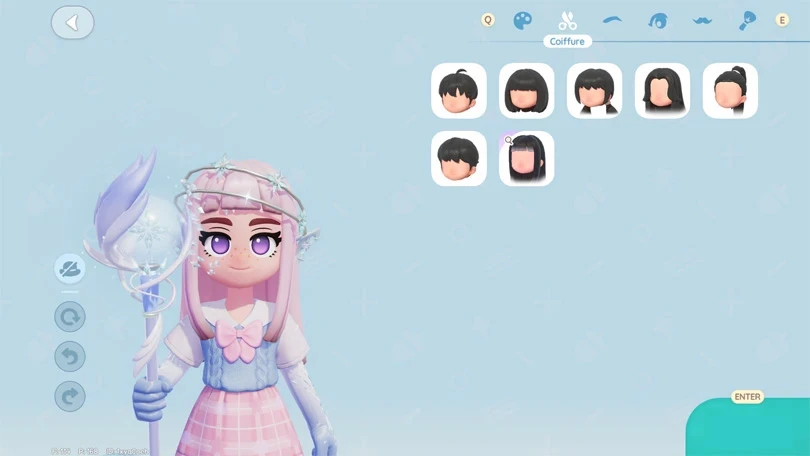
We've even prepared a guide to changing your hairstyle in Heartopia, very early on in your adventure.
When you arrive on the island, Bob and Annie will greet you. Bob is the NPC dedicated to furnishing and decorating your home. Quickly complete the tasks he gives you to unlock the construction of your house.
⚡ My tip: you'll be offered several house styles at the start of the game. Don't worry: thanks to the Blueprints feature that you'll unlock later in the game, you'll be able to change the style of your house. You can even customise it completely.
The tutorial also introduces you to the connected watch: it contains all the menus for the different game mechanics. This is where you'll find all the information about your progress. You'll be using it throughout your adventure.
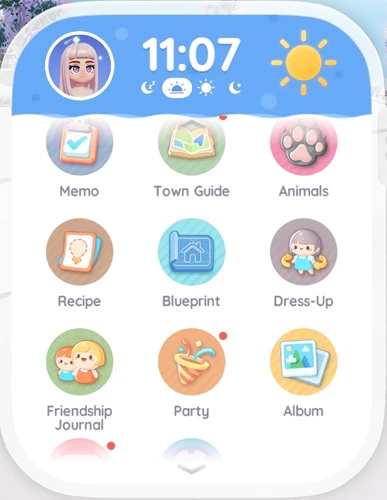
We begin this Heartopia beginner's guide with an overview of the basic mechanics. As with all cozy games, there are plenty of activities and features to choose from.
Your D.G. Member level is at the heart of your progress in Heartopia. Quite simply, it's your progress, your level in the game. The further you progress through the D.G. Member's Guild levels, the more new features you'll unlock.
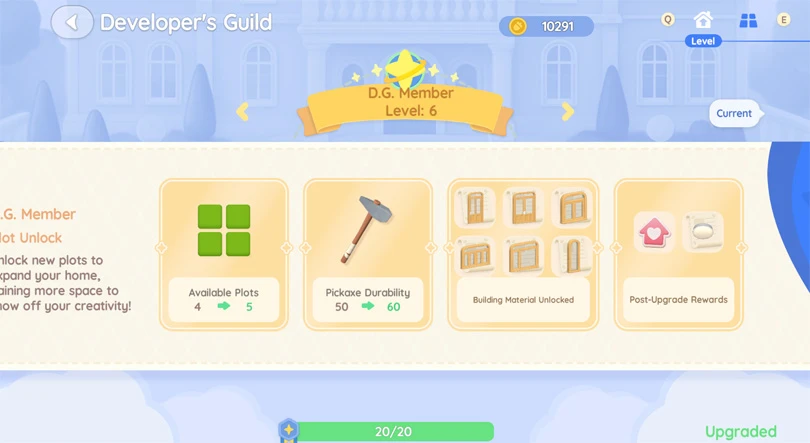
You'll need to collect gold coins, as well as orders of merit. More on that later!
⚡ Important: to collect gold coins and other resources for free, check out our Heartopia codes!
In this Heartopia beginner's guide, I'd advise you to quickly improve your D.G. Member level. To do this, follow the main quest until you unlock the Resident Requests.
Helping Heartopia's NPCs with Resident Requests is the best way to obtain Orders of Merit, the currency you need to improve your D.G. Member level.
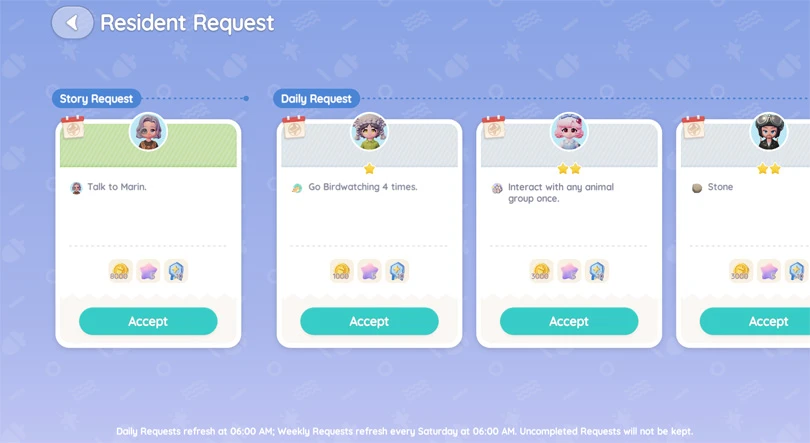
There are 5 tasks available every day, and I urge you to complete them all. As well as earning orders of merit, you'll also earn blueprints and recipes.
Heartopia's hobbies are a big part of your gameplay.
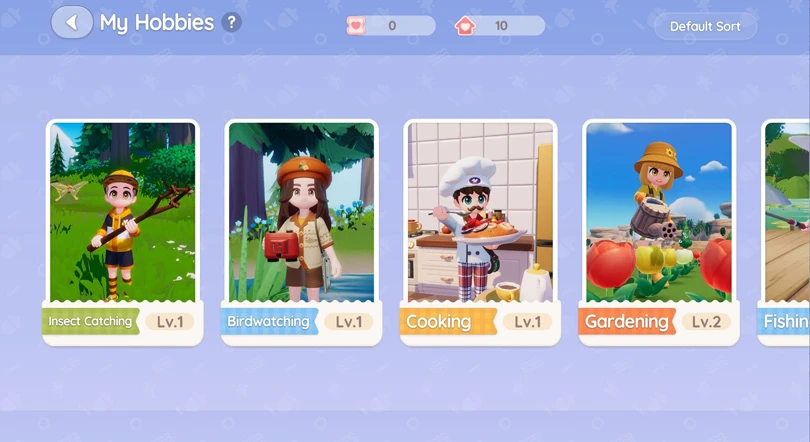
Here's the full list of hobbies:
⚡ The best advice I can give you: prioritise fishing, gardening and cooking. These are Hobbies that allow you to obtain food. In Heartopia, use food to boost your energy gauge, or to sell it and earn gold coins.
Later in the game, you'll be able to unlock all the other hobbies! Playing Heartopia is also a story of patience, but that's where the game's appeal lies.
Very early on in the game, you'll be able to invite friends over to discover the world of Heartopia together. I encourage you to try out the multiplayer mode. You'll pick up some very interesting rewards. I won't go into too much detail in this Heartopia beginner's guide, because I've put together a complete guide to multiplayer for you!
This is obviously the feature you came for when you downloaded Heartopia!
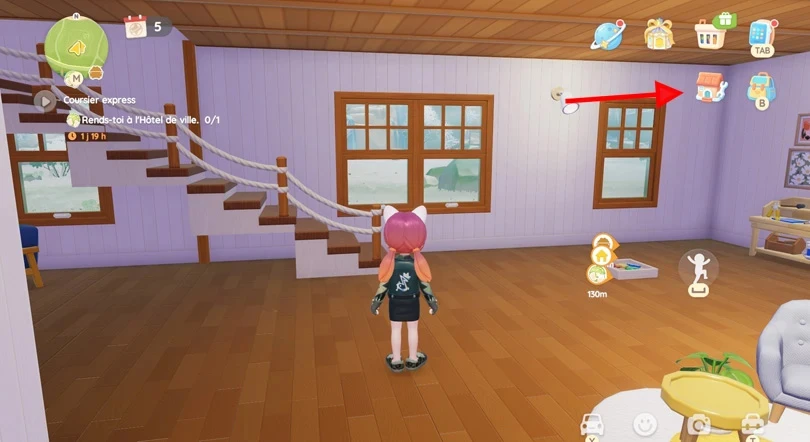
We've put together a comprehensive guide to building and customising your home. Here are a few tips to help you quickly customise your cosy nest:
⚡ Editor's tip : it's more enjoyable to play Heartopia on PC. Getting to grips with the construction mode will be more enjoyable! We've even included a tutorial for playing with the controller!
In this Heartopia beginner's guide, we now tackle the gacha system. Don't worry: the game is completely free-to-play. You can progress without spending a single penny on the game.
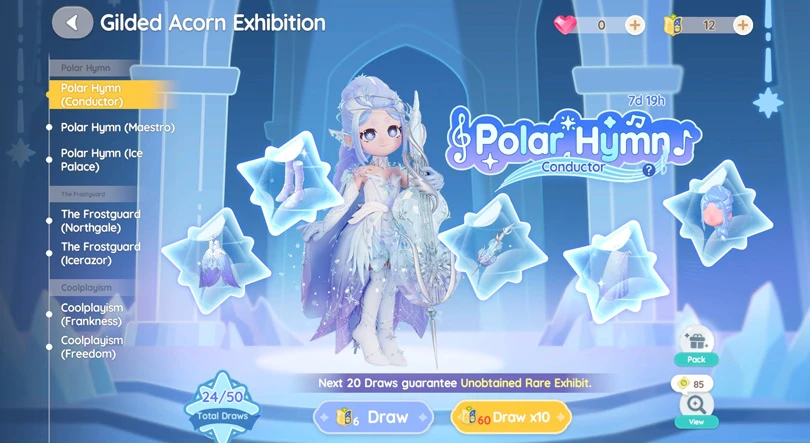
Draws in Heartopia take place in the Gilded acorn exhibition. Here you'll find clothes and furniture with a seasonal theme. To make prints, you need Exhibition Passes. These can be obtained:
There is no other way to obtain this premium currency.
⚡ Editor's tip : if you want to put a bit of money into the game, I suggest investing in the GAMG Junior Membership ($0.49), or the GAMG Full Membership ($2.99). It's a reasonable price to pay for a decent amount of premium currency.
To complete this Heartopia beginner's guide, I'd like to take this opportunity to give you a summary of the game's currencies:
| Currency | Obtain |
|---|---|
 Gold coins (freemium) Gold coins (freemium) |
Earned by completing in-game quests or via Heartopia codes |
 Moonlight Crystals (premium) Moonlight Crystals (premium) |
Can be purchased with diamond hearts or obtained for free using codes |
 Diamond hearts (premium) Diamond hearts (premium) |
To be purchased for real money |
 Wishing Stars (premium) Wishing Stars (premium) |
Buy with diamond hearts or get free with codes |
To conclude this Heartopia beginner's guide, I'd like to offer you 4 tips to make the most of your cozy adventure:
But my most important piece of advice for enjoying Heartopia is to take your time. The activities and content offered by the game are immense. Every day brings new surprises! And as you progress through the game, other Mobi.gg guides will be able to help you:
Enjoy the game!
Follow us on our social networks to stay on top of mobile gaming news wherever you are!


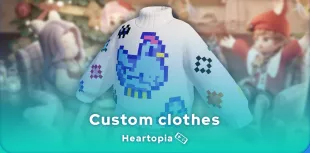
Heartopia offers a highly advanced customisation feature: design patterns to personalise your wardrobe. But how do you unlock it? What tools do you need? Discov...
The Maltese x Heartopia collaboration has begun, and there are lots of surprises in store! Among them, new recipes to learn, each cuter than the next. But how d...
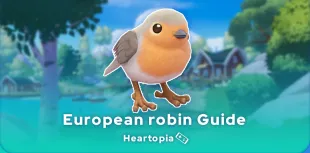
Birdwatching is one of Heartopia's specialities. In this relaxing activity, you'll be on the lookout for all the birds on the map. The european robin is one of...
Completing your collection of fauna in Heartopia is a real challenge. Certain insects only appear in certain places, under certain weather conditions or at cert...
In Heartopia, all the NPCs are important and have things to teach you, or to sell you. Vanya is the fishing mentor, one of the central NPCs in your favourite co...
Spring has sprung in Heartopia! And with it comes a new egg hunt event. But unlike the Winter Frost Season event, all the eggs can already be found. You've only...