
 EN
EN

Heartopia


Written by
Have you just started your adventure in Heartopia and are already regretting your initial choice of hairstyle ? No need to panic. Whether you want to adopt a seasonal look or simply change the colour of your hair, changing your avatar's appearance is easy, as long as you know where to go. Here's how to change hair in Heartopia in just a few steps.
To unlock the ability to change hair in Heartopia, you'll need to complete the tutorial and obtain certain features:
There are two options for personalising your character and changing their hairstyle:
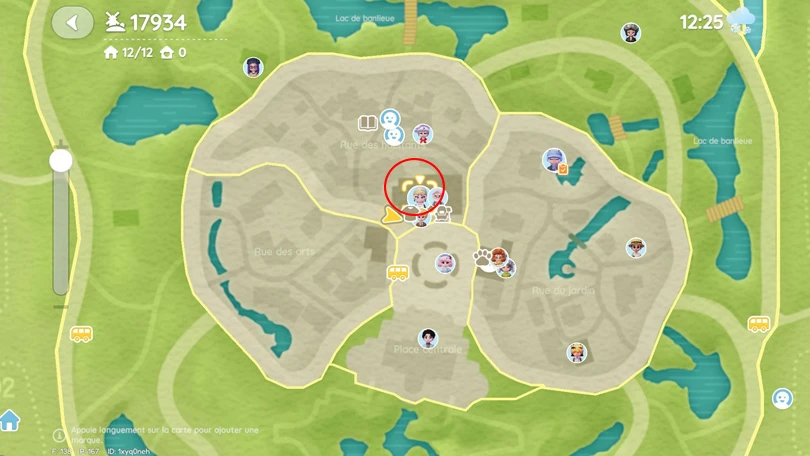
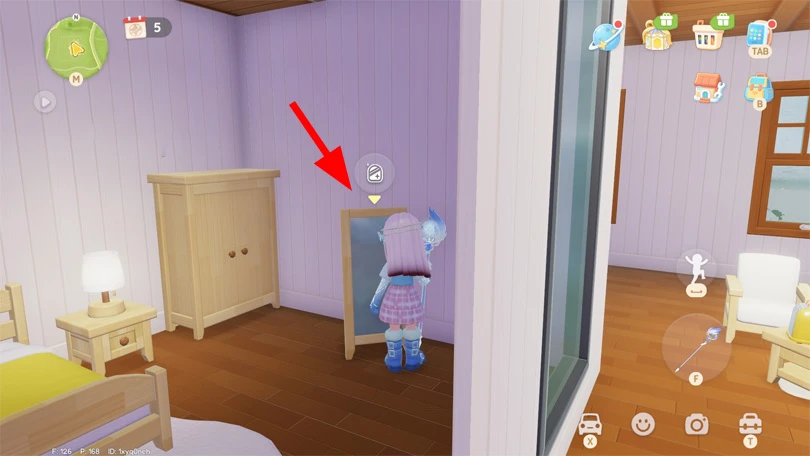
⚡ Mobi.gg tip: to make the mirror, you'll need 2 timbers, 6 stones and 3 high-quality Timbers.
Have you unlocked the mirror in Dorothee's salon, or her construction plan, so you can customise your character from home? Here are the steps to change hair in Heartopia:
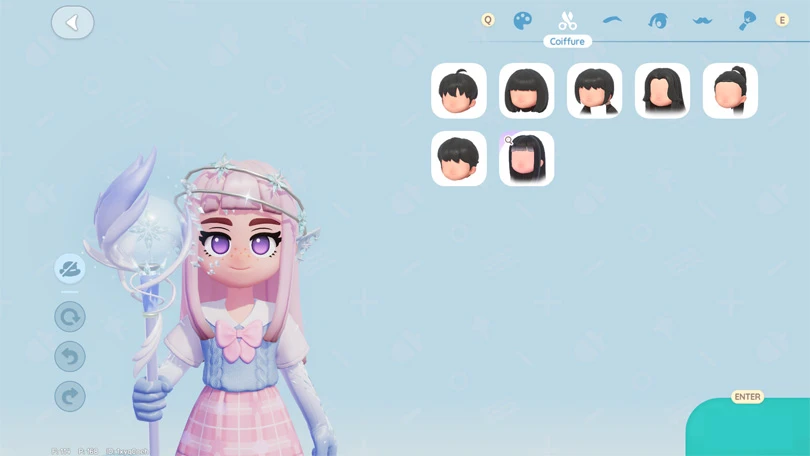

⚡ Mobi.gg tip: most hairstyles in Heartopia are free, so you don't necessarily have to save up to customise your avatar!
Don't worry: your basic choice of hairstyle is not definitive, and as you progress you'll unlock other hairstyles. To complete your avatar's personalisation options, simply unlock them in the Gilded acorn exhibition (the game's gacha), then buy them from Dorothee.
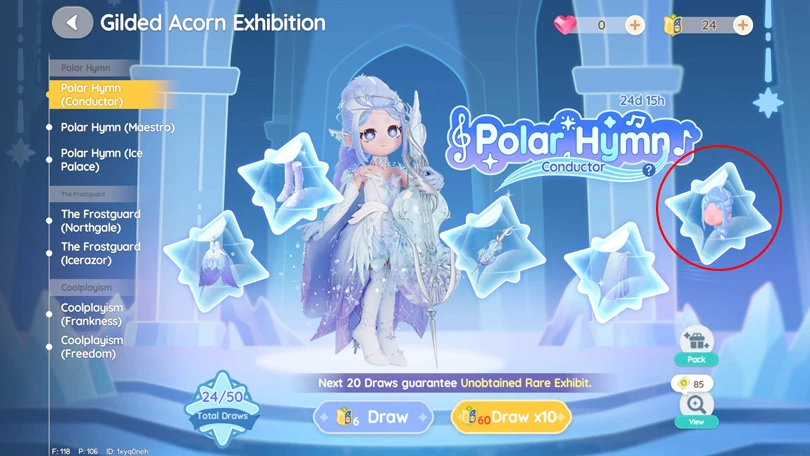
To change hair in Heartopia is pretty straightforward, provided you've unlocked the essential features. So go ahead and customise your avatar, and get creative! The editors have prepared a number of other guides for you, including how to play Heartopia with a controller, and how to unlock new home plots. Check them out!
Follow us on our social networks to stay on top of mobile gaming news wherever you are!


Heartopia offers a highly advanced customisation feature: design patterns to personalise your wardrobe. But how do you unlock it? What tools do you need? Discov...
The Maltese x Heartopia collaboration has begun, and there are lots of surprises in store! Among them, new recipes to learn, each cuter than the next. But how d...
Birdwatching is one of Heartopia's specialities. In this relaxing activity, you'll be on the lookout for all the birds on the map. The european robin is one of...
Completing your collection of fauna in Heartopia is a real challenge. Certain insects only appear in certain places, under certain weather conditions or at cert...
In Heartopia, all the NPCs are important and have things to teach you, or to sell you. Vanya is the fishing mentor, one of the central NPCs in your favourite co...
Spring has sprung in Heartopia! And with it comes a new egg hunt event. But unlike the Winter Frost Season event, all the eggs can already be found. You've only...