
 EN
EN
Heartopia


Written by
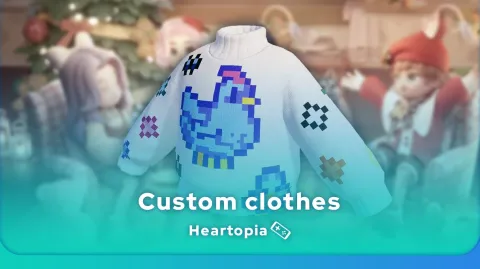
Heartopia offers a highly advanced customisation feature: design patterns to personalise your wardrobe. But how do you unlock it? What tools do you need? Discover all the secrets to creating Heartopia custom clothes.
The Drawing Board is the essential tool for creating Heartopia custom clothes. Here are the steps to unlock it.
The ability to create custom clothes in Heartopia is an important feature of the game. To do this, you'll need to play until you reach D.G. Member level 14. Complete your daily quests, progress in your professions... In short, to reach this goal, you're going to have to play.
⚡ My advice: we've put together a Heartopia beginner's guide to help you boost your progress in the game.
Ka-Ching is a puzzle specialist, but also a creative one! Once you've reached level 14, talk to her and buy the Drawing Board, which will cost you 2,000 gold coins.
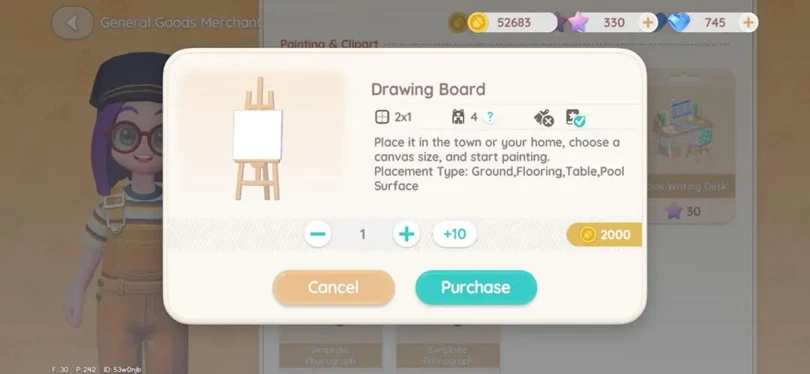
Use the Drawing Board to create Heartopia custom clothes. Once purchased, the board will be in your inventory (your bag). All you have to do is place it wherever you want. Now you can start painting with pixel art!
⚡ Going further: to personalise your avatar, you can create your own custom clothes or change your hairstyle in Heartopia!
Using pixel art to create Heartopia custom clothes requires a thorough understanding of the Drawing Board interface. I'll be revealing all the secrets to designing your own patterns.
The Drawing Board gives you all the tools you need to paint in pixel art:
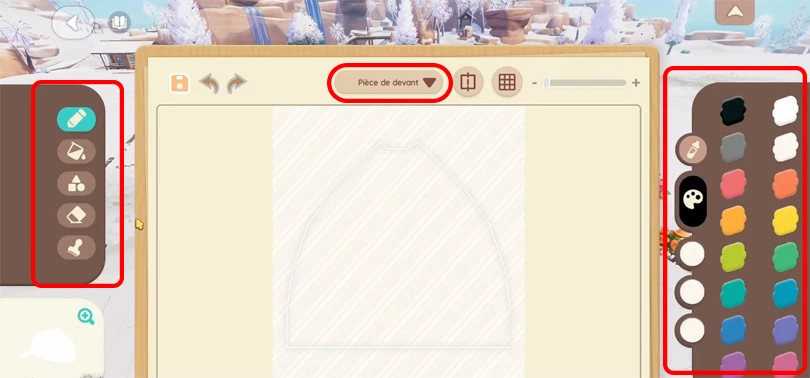
To create Heartopia custom clothes on your mobile, I recommend using a stylus if you have one. It will be much more effective. The best solution is to play Heartopia on a tablet. That way you'll be much more precise.
⚡ Mobi.gg tip: follow our guide, to play Heartopia on PC!
Now that we've seen how to use the Drawing Board, here's a step-by-step tutorial for creating Heartopia custom clothes.
To avoid any nasty surprises, start by naming your design and saving it. Don't forget to click on the floppy disk icon regularly to save your changes.
When it comes to Heartopia custom clothes, you can choose from the following:
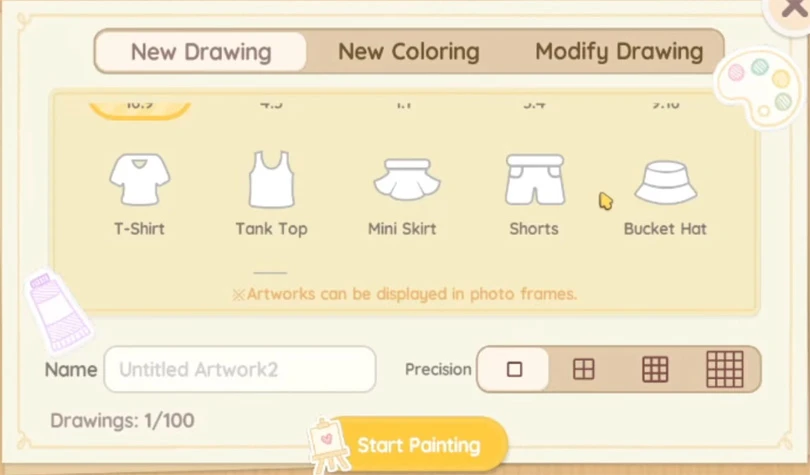
Now it's up to you to choose the type of garment you want to create.
Now it's your turn to get creative and create your own designs. Start by choosing the part of the garment you want to personalise (front, back, sleeves, etc.). Don't hesitate to take inspiration from models you can find on the internet or on the game's social networks. Players share design ideas for Heartopia custom clothes!
All that's left to do is save your project.
Now that your design is saved, you can create Heartopia custom clothes from your crafting table. Choose the garment you want to sew (the one you chose when you designed the pattern).
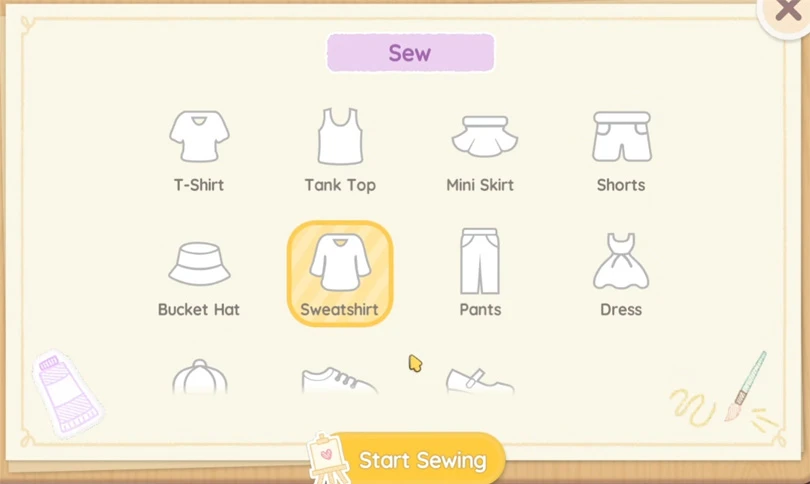
That's it, your personalised garment is now accessible from your wardrobe !
Need more guides to get you through the game? We've got just what you need at Mobi.gg :
Enjoy the game!
Follow us on our social networks to stay on top of mobile gaming news wherever you are!


The Maltese x Heartopia collaboration has begun, and there are lots of surprises in store! Among them, new recipes to learn, each cuter than the next. But how d...
Birdwatching is one of Heartopia's specialities. In this relaxing activity, you'll be on the lookout for all the birds on the map. The european robin is one of...
Completing your collection of fauna in Heartopia is a real challenge. Certain insects only appear in certain places, under certain weather conditions or at cert...
In Heartopia, all the NPCs are important and have things to teach you, or to sell you. Vanya is the fishing mentor, one of the central NPCs in your favourite co...
Spring has sprung in Heartopia! And with it comes a new egg hunt event. But unlike the Winter Frost Season event, all the eggs can already be found. You've only...
It's springtime in the world of Heartopia. A new weather event has arrived! It's purely cosmetic, but it's an opportunity to take some pretty pictures. I'll tel...