




 EN
EN


Heartopia


Written by
Heartopia is THE cozy game to play on your mobile. But to get the most out of it, and avoid the problems of a hot battery or a screen that's too small, I suggest you play it on your computer! The good news is that you can play Heartopia on PC and Mac, free of charge. So how do you do it? Here's a step-by-step guide!
Playing Heartopia on your PC and Mac is much more comfortable! On your phone, the screen is too small to enjoy the details and decoration of your home. Here are the advantages of playing Heartopia on your computer:
⚡ Mobi.gg tip: to optimise your PC experience, you should know that you can play Heartopia using the controller! We've prepared a detailed guide for you, so don't hesitate to check it out!
The first step to playing Heartopia on your computer is to download the TapTap launcher, from which you can launch the game on your PC. Here's a full tutorial!
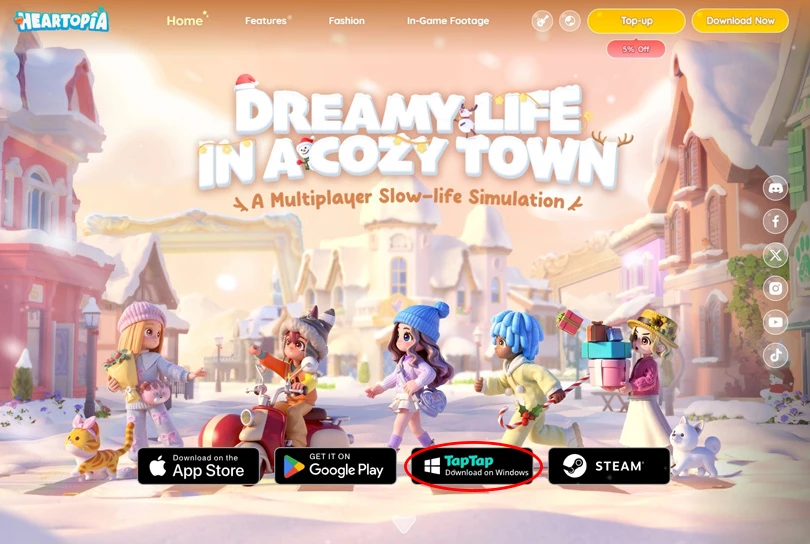
As well as presenting the game and its features, the official Heartopia website also directs you to the various Android, iOS, Steam (not yet available) and TapTap stores. Click on "TapTap Installer on Windows". The TapTap launcher will download automatically.
⚡ Mobi.gg tip: unfortunately, the TapTap launcher that lets you play Heartopia on your computer, is not available on Mac. Rest assured, later we'll look at how to play the game on macOS!
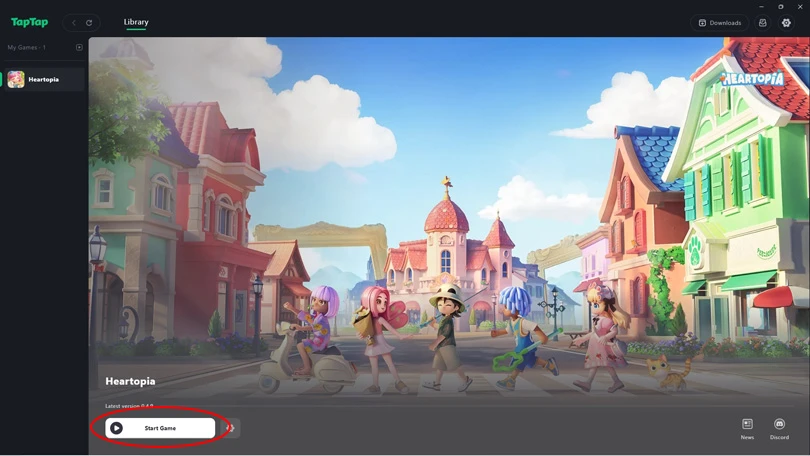
Now that the TapTap launcher is installed on your computer, all you have to do is download Heartopia directly from the software. It will only take a few minutes. Then you can launch the game with a single click!
There's another way to play Heartopia on PC and Mac: using an emulator, and more specifically the BlueStacks Android emulator. This allows you to use a controller, but also to enjoy your favourite cozy game on macOS !
⚡ Mobi.gg tip : we've put together a selection of the best Android emulators on PC, as well as a top emulators on Mac. Don't hesitate to take a look!
With BlueStacks, you can recreate an Android environment on your computer and play Heartopia on your PC! Here's a step-by-step guide to using the BlueStacks emulator.
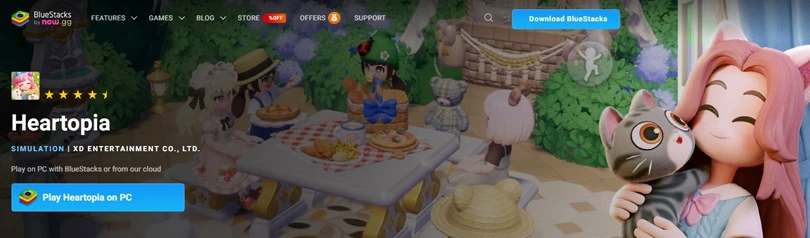
Now you can play Heartopia on your PC! And for an even more enjoyable experience, check out our guide to optimising BlueStacks performance.
⚡ Mobi.gg tip: For maximum fluidity, we recommend BlueStacks 5 with an Android 11 (Beta) or Pie 64-bit instance.
If you're a Mac user, then you probably know that it's not that easy to find Android emulators. We highly recommend using BlueStacks Air, the best solution for creating an Android environment on your macOS computer.

Here's the step-by-step guide to playing Heartopia on the Mac:
To conclude this guide to playing Heartopia on PC and Mac, here are the minimum system requirements for the game:
Playing Heartopia via TapTap or BlueStacks is the ideal way to enjoy your favourite cozy game with all the comfort you need! Here at the editor's we've got some other guides to help you get the most out of your game, so check them out:
Enjoy the game!
Follow us on our social networks to stay on top of mobile gaming news wherever you are!


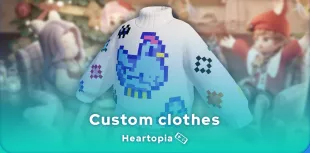
Heartopia offers a highly advanced customisation feature: design patterns to personalise your wardrobe. But how do you unlock it? What tools do you need? Discov...

The Maltese x Heartopia collaboration has begun, and there are lots of surprises in store! Among them, new recipes to learn, each cuter than the next. But how d...

Birdwatching is one of Heartopia's specialities. In this relaxing activity, you'll be on the lookout for all the birds on the map. The european robin is one of...

Completing your collection of fauna in Heartopia is a real challenge. Certain insects only appear in certain places, under certain weather conditions or at cert...

In Heartopia, all the NPCs are important and have things to teach you, or to sell you. Vanya is the fishing mentor, one of the central NPCs in your favourite co...

Spring has sprung in Heartopia! And with it comes a new egg hunt event. But unlike the Winter Frost Season event, all the eggs can already be found. You've only...