Best mobile game controllers for Android and iOS in 2026: the ultimate guide

Best controllers for Android and iOS phones

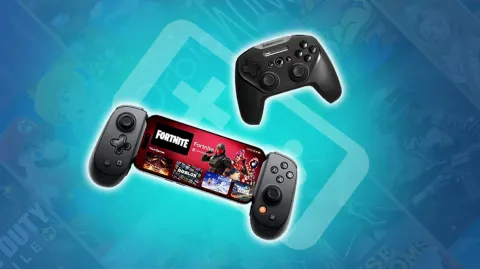
At Mobi.gg, we're experts in mobile games, but we also test stuff to help you play with maximum comfort. And what could be better than an Android or iOS smartphone controller, to turn your mobile into a console and enhance your experience? And with the arrival of AAA ports like Red Dead Redemption on mobile, you need hardware that holds up! We've put together a list of the best mobile game controllers for Android and iOS to help you choose your next gaming accessory.

How to choose a smartphone controller (Complete buying guide)

Before buying a controller for your Android or iOS phone, you need to ask yourself the right questions. What are your handling preferences? What are the technical specifications of your phone? We'll help you find out.

Connectivity: USB-C vs Bluetooth

To start with, let's talk about connectivity, which is bound to have an impact on your gaming experience. When it comes to choosing your mobile gaming controller, you have two options:

  • Bluetooth: practical because it's compatible with all smartphones, Bluetooth can cause latency and, above all, will reduce the autonomy of the mobile game controller and your smartphone's battery.
  • The USB-C port: this connection has the big advantage of limiting latency. In 2026, almost all smartphones have a USB-C port... except for the old iPhones 14 and earlier. In that case, you'll need to choose a Bluetooth controller for iOS, or one with a Lightning port (although this type of model isn't widely available any more). Some mobile game controllers, like the Razer Kishi V3 we're about to introduce, even allow you to charge your phone during your gaming sessions!

In short, we recommend that you opt for a USB-C controller for your smartphone, if your device allows it, rather than a Bluetooth controller for your phone, which has a few drawbacks.

Ergonomics and portability

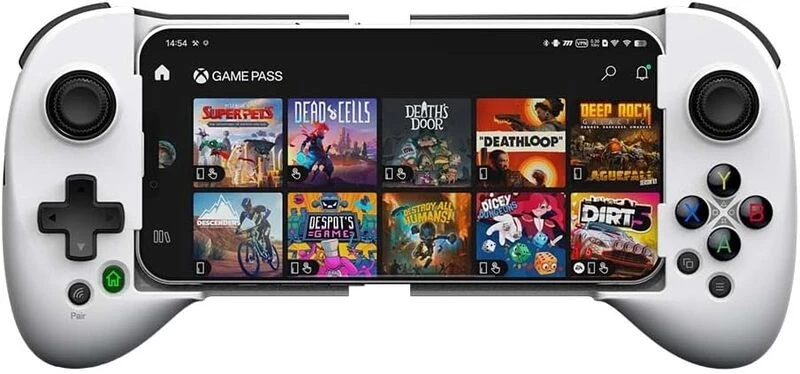
Weight is a crucial factor when choosing your controller. For long gaming sessions, it's best to opt for a lightweight controller to take the strain off your arms and wrists. What's more, if you're planning to take it on the road, your phone controller needs to be lightweight. It also needs to take up as little space as possible. That's why we recommend telescopic controllers for Android and iOS phones.

Classic iPhone and Android controllers, such as the Xbox Controller, inevitably take up more space in a bag or in your luggage. On the other hand, they offer excellent ergonomics. For those of you who play on a PC, you'll enjoy an experience very similar to your computer gaming sessions. If you plan to play mobile games from the comfort of your sofa, this is the best choice.

Game compatibility

Today, the vast majority of Android and iOS games (including the most popular mobile games such as Genshin Impact, Call of Duty Mobile, etc.) are compatible with a smartphone controller. But not all of them are! So before you buy a mobile controller, find out for yourself. If your favourite games aren't compatible, opt for an accessory with a virtual controller, such as the Backbone Pro or the Razer Kishi V3, which make all mobile games compatible.

Hall Effect vs TMR joysticks

We're now tackling a more technical issue, that of the technology embedded in the sticks of the mobile game controllers. There are two types:

  • Hall Effect technology: this is the technology usually found in controllers. It uses magnets to sense the movement of your thumbs.
  • TMR technology: this uses magnetic resistance, like Hall technology, but at a quantum level. In other words, Android and iOS controllers with TMR sticks are much more precise, and therefore almost indispensable if you play shooting games, for example. The Razer Kishi V3 has this technology. TMR technology also seriously reduces the risk of drift, a common problem with mobile game controllers.

The 3 best "Telescopic" mobile game controllers

Would you like to buy a controller for your Android and iOS phone that offers optimum comfort and portability? If so, opt for telescopic controllers, which turn your mobile into a real handheld console, like Switch or Steamdeck. If ergonomics are important to you, then these are the accessories for you. Here are the best telescopic mobile game controllers for Android and iOS.

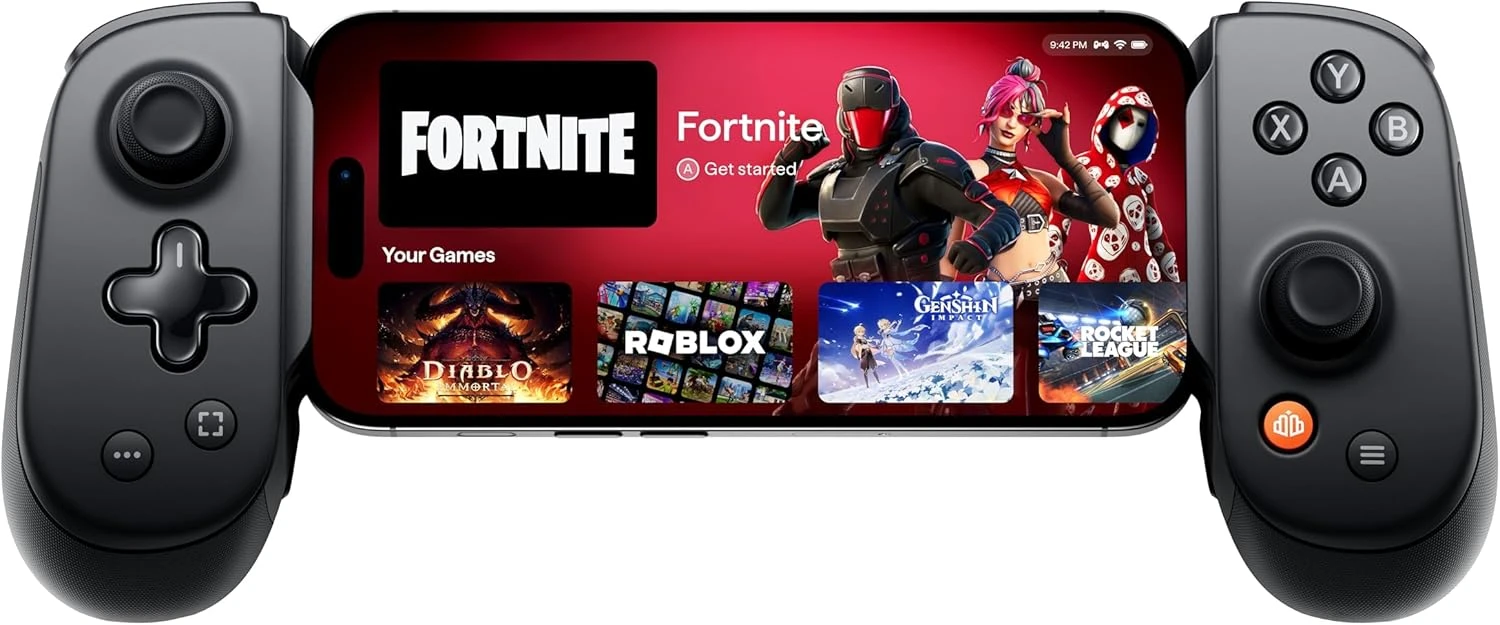
Backbone Pro: the best of the best for mobile gaming

BACKBONE Pro

BACKBONE Pro

  • Highly responsive controls
  • Excellent grip
  • Full-size analogue sticks
  • Programmable rear buttons
  • Compact design

Best prices

The Backbone Pro is undoubtedly the best mobile game controller for Android and iOS. As well as offering a high-quality experience, it's compatible with a huge range of devices: as well as your mobile, you can connect it to your Apple TV, your TV and even your Meta Quest or Vision Pro VR headset. You can switch between devices thanks to Flow State technology.

The Backbone application doesn't disappoint: with it, you can configure several profiles, use emulation for retro games, and much more. On the design side, it has very comfortable analogue sticks and a compact design.

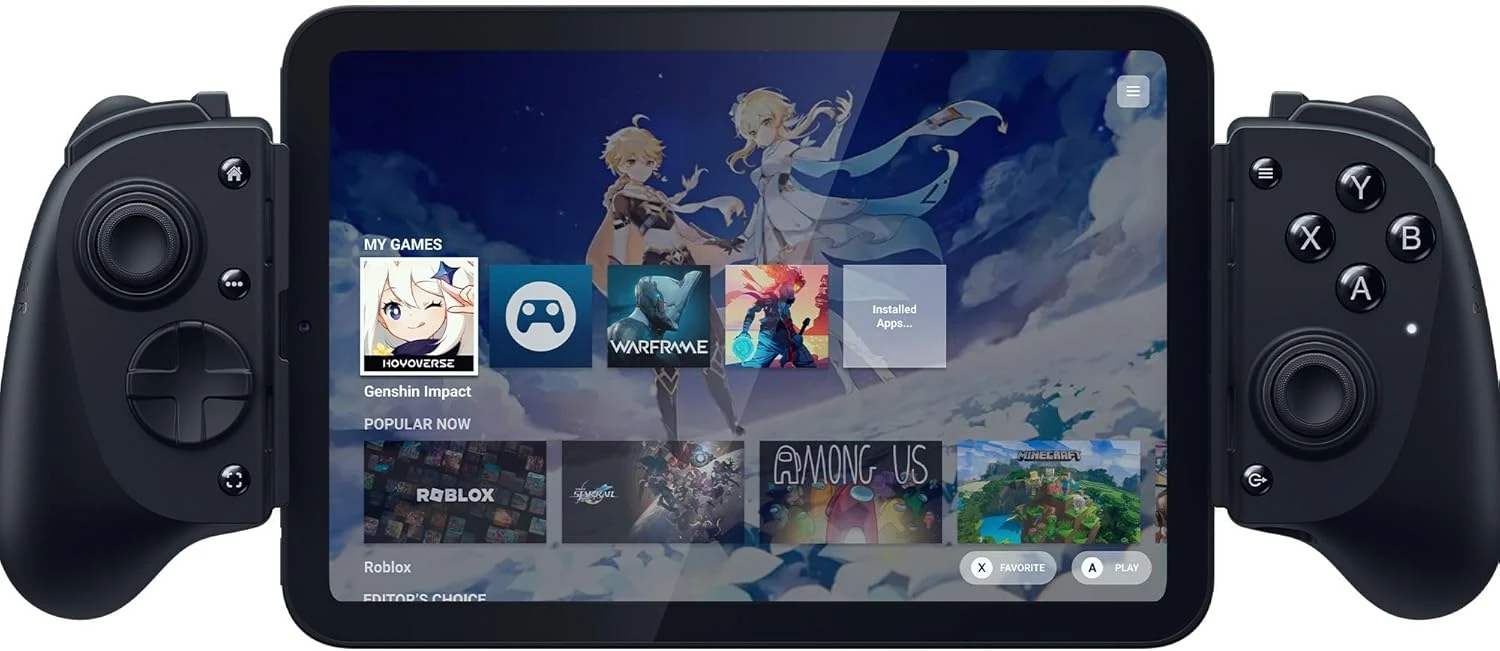
Razer Kishi V3 Pro: the best controller for smartphones and tablets

Razer Kishi V3 Pro

Razer Kishi V3 Pro

  • Comfortable grip
  • Well-designed rear buttons
  • Precise TMR sticks
  • The Nexus app, which acts as a virtual controller and makes all mobile games compatible
  • USB-C and jack connectors
  • Fairly light weight

Best prices

The latest addition to the Razer range, the Kishi V3 Pro is THE controller I'd recommend if you want to switch between your smartphone and your 8 to 11 inch tablet. For larger 13-inch tablets, you'll have to opt for the XL version. Admittedly, it's less portable due to its rather imposing size, but it's still a top-quality controller for Android and iOS mobile games.

It features ultra-precise TMR sticks, perfect for demanding games like Call of Duty Mobile, and the Nexus application that makes it so versatile. We've prepared a review of the Razer Kishi V3 range for you, so don't hesitate to check it out!

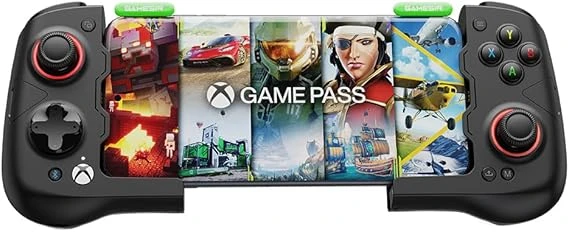
GameSir X4 Aileron, portability first and foremost

GameSir X4 Aileron

GameSir X4 Aileron

  • Excellent design quality
  • Precise, responsive controls
  • Excellent portability
  • Lightweight and comfortable to hold

Best prices

Looking for a good controller for Android phones? Then the GameSir X4 Aileron is just what you're looking for! The grip is really good, thanks in particular to the grip on the back. It's also got great battery life, because yes, this is a Bluetooth-only controller for Android phones. A special mention goes to the portability of this GameSir X4 Aileron, which is both lightweight and compact. When you're not using it, it folds away completely. It's perfect for controller-compatible games like Albion Online, but if you want to play Wild Rift, for example, you'll need a dedicated application like Mantis.

The best "Classic" controllers with stand

Are you a PC gamer looking to buy an iPhone or Android controller to enjoy a similar experience? Then the classic controllers are the ones for you. You won't feel out of place, but this format will inevitably have an impact on portability. Mobile gaming controllers of this type are less ergonomic than their predecessors, even though they offer a high level of comfort. Here are the mobile game controllers for Android and iOS, for those looking for a PC-like experience.

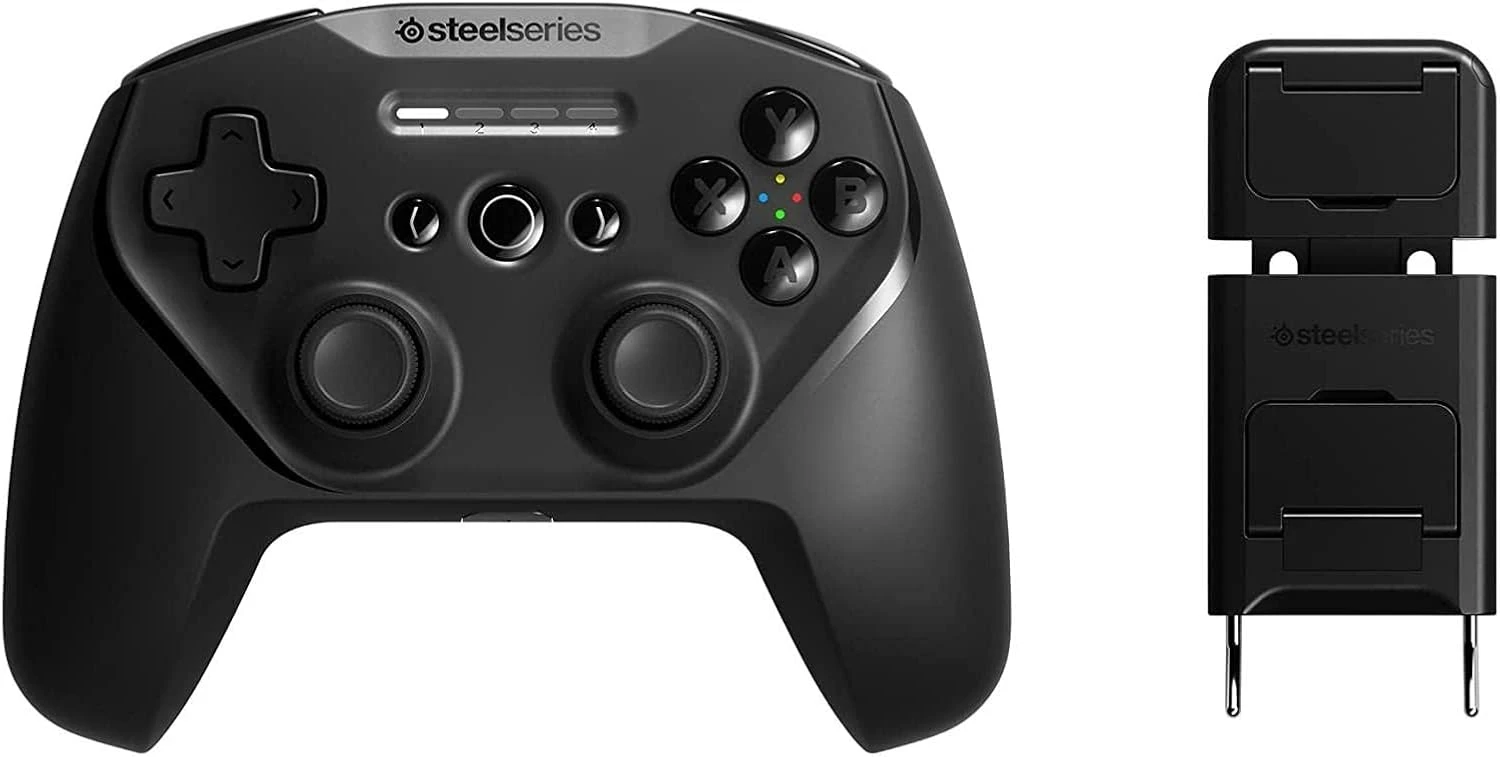
SteelSeries Stratus+, robustness and autonomy

SteelSeries Stratus+

SteelSeries Stratus+

  • 90h battery life (the best on the market)
  • Retro but comfortable design
  • A very attractive price
  • Very good accuracy

Best prices

The SteelSeries Stratus+ is another Android and iOS phone controller renowned for its robust build quality. Compatible exclusively with Android and Windows, it's ideal for demanding games that require reflexes and precision, such as PUBG Mobile. As well as being easy to hold, its biggest strength is its impressive 90-hour battery life, so you can play for days without having to recharge it!

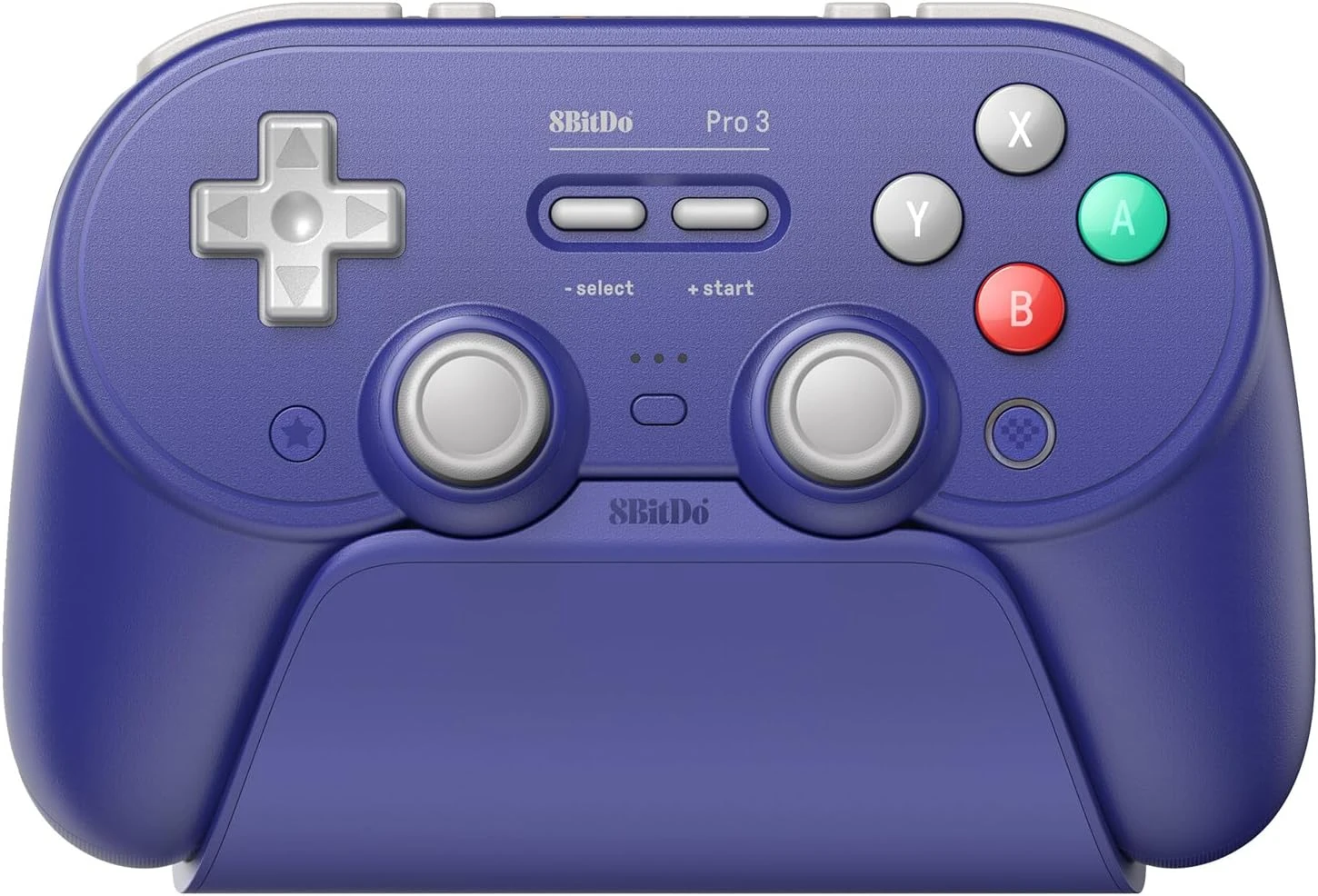
8BitDo Pro 3, precision above all else

8BitDo Pro 3

8BitDo Pro 3

  • Comfortable and pleasant to use
  • One of the best D-Pads on the market
  • Good button feel
  • Supplied with a charging dock

Best prices

8BitDo is a benchmark brand when it comes to PC controllers. Well, it doesn't disappoint with its range of controllers for mobile gaming, and in particular with the Pro 3 model. Unsurprisingly, its D-Pad is probably the best of our selection and is bound to appeal to fans of games like Subway Surfers, which require speed and precision. And speaking of precision, like the Kishi we presented earlier, this 8BitDo also has TMR sticks . And last but not least, the more nostalgic among you will appreciate its 'Nintendo' style!

For an extra touch of comfort, you can add a special clip to your 8BitDo controller, so you can attach your smartphone to it.

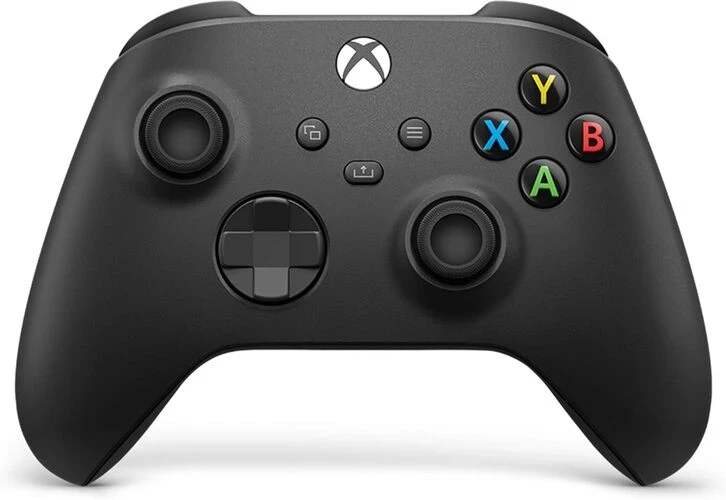
Xbox Controller, THE reference in controllers

Xbox Controller

Xbox Controller

  • Legendary ergonomics (same as Xbox Series X)
  • A reliable controller
  • Full compatibility: Android, iOS, PC, Xbox
  • Ideal for cloud gaming (Xbox Game Pass, GeForce Now)

Best prices

The Xbox controller is a classic that has made its mark on consoles and mobile devices alike. Compatible with Android, iOS and PC, it offers proven ergonomics and a stable Bluetooth connection. Perfect for multi-platform games such as Warzone Mobile, this controller is an excellent choice for those looking for the reliability and comfort of a tried-and-tested classic controller.

For your convenience, we suggest you complement the controller with a suitable Xbox clip.

Affordable mobile game controllers: the best value for money

We've just shown you some fairly expensive controllers for mobile games. But don't worry, there are also good-value models for those with smaller budgets. Here are the best affordable mobile game controllers for Android and iOS.

ShanWan, affordable and efficient

ShanWan

ShanWan

  • Good value for money
  • Lightweight and easy to use
  • Good autonomy

Best prices

We continue our selection of the best Android and iOS phone controllers with the small but effective ShanWan. It offers excellent value for money , with broad compatibility covering Android, iOS and even some PC platforms. Its design, inspired by traditional console controllers, makes it a pleasure to use, whatever the game. Personally, I tested it with Arranger, and had a great time! What's more, it offers vibration feedback, a rare addition at this price, and has a long battery life of 25 hours.

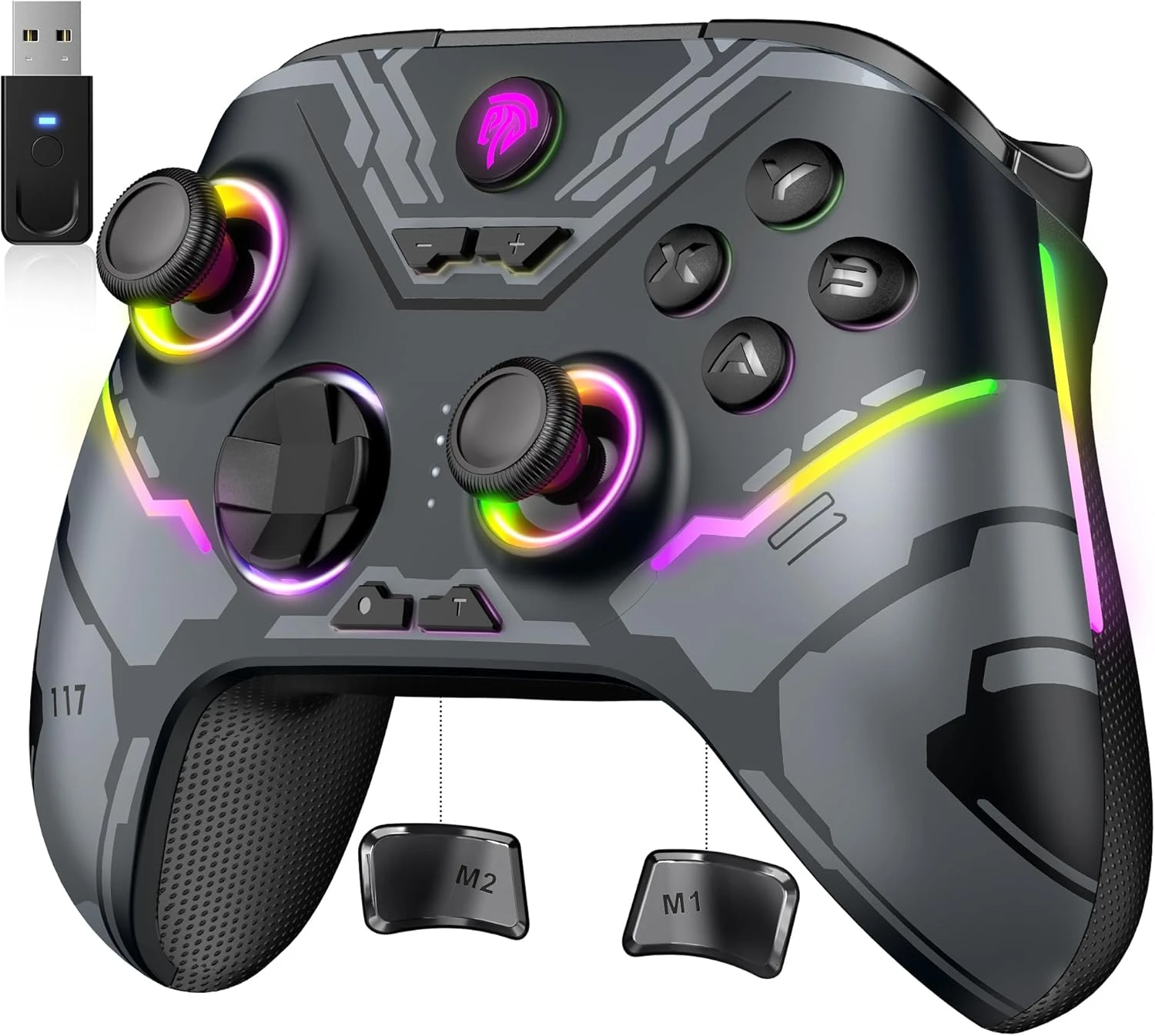
EasySMX, inexpensive and versatile

EasySMX

EasySMX

  • Broad support compatibility
  • Programmable buttons
  • Excellent ergonomics
  • RGB lighting

Best prices

If you're looking for an all-purpose controller, the EasySMX might just be the one for you. As well as being compatible with Android and iOS, you can also connect it via Bluetooth to your Android TV Box and Switch, which is a great feature for such an affordable price. We also like the way it's designed and feels in your hand, and its RGB backlighting adds that little extra something.

Quick comparison

Controller Battery life Compatibility Strengths Weak points
BACKBONE Pro USB-C Android / iOS Professional quality, customisable, versatile High price
Razer Kishi V3 Pro USB-C Android / iOS Excellent grip, TMR sticks, light weight High price, limited portability
GameSir X4 Aileron USB-C Android Responsive touch buttons, well thought-out design Not iOS
SteelSeries Stratus+ 90h Android Record battery life, robust Not iOS
8BitDo Pro 3 25h Android / iOS Pleasant D-Pad, excellent grip Slippery and noisy sticks
Xbox Controller 30h Android / iOS / PC Ergonomics, versatility Less compact design
ShanWan 25h Android / iOS Excellent value for money, lightweight Basic design
KROM KENZO 15h Android / iOS Low price, customisable Basic design
EasySMX 20h Android / iOS / PC / Switch Very good battery life, easy to use Disconnections possible

Which phone controller should you choose?

  • For competitive gamers: we recommend the Razer Kishi V3, as well as the Backbone Pro.
  • For cloud gaming: the Xbox Controller is the way to go.
  • For good battery life: the SteelSeries Stratuts+ is the one for you.
  • For an experience that's as close as you'll get to the Switch, Steamdeck or even PS Vita, for those nostalgic for the first handheld consoles: telescopic controllers are what we recommend.

And if you're looking for a customised mobile game controllers for Android and iOS, check out our top gaming accessories for mobiles. You'll find sleeves and triggers at low prices!

In 2026, the market for phone controllers is more varied than ever , with many accessories offering a premium experience. Perfect for those who don't want to make any compromises between comfort and portability. So, in view of the catalogue available, take the time to assess your needs before making a purchase!

Everything you need to know about mobile controller gaming

Are all controllers compatible with Call of Duty Mobile or Genshin Impact?

Genshin Impact is controller compatible on iOS only, whereas Call of Duty supports all controllers, regardless of smartphone type. If you want to play Genshin Impact on Android, you'll need to download an app like Mantis.

Can I connect a PS5 controller to my phone?

If you have a PS5, you can connect the Dual Sense controller directly to your smartphone. Simply activate your Bluetooth, add the PS5 controller to your peripherals and connect to it. You'll first need to press the PS and CREATE buttons on the Dual Sense.

Does a joystick heat up the phone?

If you spend a lot of time playing power-hungry games, then yes, your smartphone may heat up, with or without a controller! We can only advise you to take a break from time to time.

Platypousse
Platypousse Although she specializes in cozy games and puzzle games on iPhone, Camille is a jack-of-all-trades when it comes to mobile gaming. On Mobi.gg, she shares her experience through tips and tricks, and her perspective on the mobile gaming industry through daily news updates.