




 EN
EN

Written by
Published on

Written by
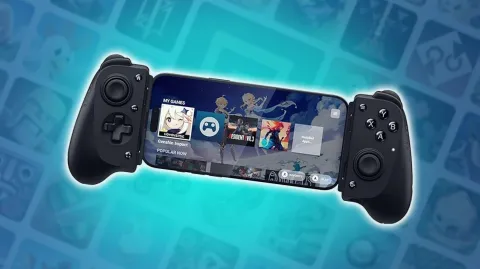
It goes without saying that, for certain mobile games, playing with a controller will be much more comfortable. Here we give you a Razer Kishi V3 review, a controller designed to deliver an experience similar to that of a mobile console like the Switch. So, is it an essential accessory or just a gadget? What do we think of the Kishi V3? We'll find out.
Benefits :
- Comfortable grip
- Well-designed back buttons
- Highly precise TMR sticks
- The Nexus app, which acts as a virtual controller and makes all mobile games compatible
- USB-C and jack connectors
- Fairly light weight
The cons :
- High price, especially for the Pro and XL models
- The D-Pad is a little 'soft'.
- Its large size is certainly comfortable, but limits portability
Before moving on to our review of the Razer Kishi V3, here is an overview of the different V3 models in Razer's Kishi line:
| Razer Kishi V3 | Razer Kishi V3 Pro | Razer Kishi V3 Pro XL |
|---|---|---|
| Compatible with Samsung Galaxy S25, Google Pixel 6/7/8 and other Android devices, iPhone 15,16,16 Pro,16 Pro Max,17, 17 Pro, 17 Pro Ma, Windows 11 via USB C cable | Compatible with Samsung Galaxy S25, Google Pixel 6/7/8 and other Android devices, iPhone 15,16,16 Pro,16 Pro Max,17, 17 Pro, 17 Pro Ma, iPad mini (6th generation), iPad mini (7th generation), Windows 11 via USB C cable | Compatible with iPad Pro 11 and 13 inches, iPad Air 11 and 13 inches, iPad (10.9 inches with USB-C) and other USB-C tablets from 10 to 13 inches. |
| Pass-through charging port | Pass-through charging port | Pass-through charging port |
| Clickable joysticks | Clickable joysticks | Clickable joysticks |
| 2 multifunction buttons | 4 multifunction buttons | 4 multifunction buttons |
| 108.1 mm X 227.0 mm X 55.4 mm | 110.8 mm X 244.8 mm X 64.3 mm | 110.8 mm X 327.9 mm X 64.6 mm |
| 175 g | 268 g | 311 g |
The editors had the opportunity to test the Phantom White Edition version of the Razer Kishi V3 (product offered by Razer).
Regardless of the model in the range, the design of the Kishi V3 inevitably reminds us of the Xbox controller you all know. And if you're familiar with Razer, then the Kishi V3 is bound to remind you of the Wolverine Pro controller.
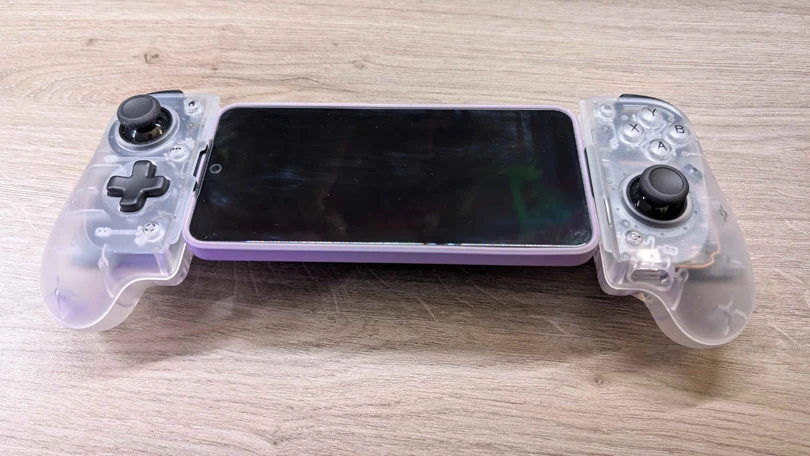
As you move up the range, the size of the controller increases. While the Kishi V3 is designed for smartphone gaming, the V3 Pro is also designed for iPad minis. If you have a classic iPad or an Android tablet, then you'll need to opt for the Pro XL. But be careful: if you're using an Apple device, it will need to be equipped with a USB-C port. The Razer Kishi V3 is not compatible with the Lightning port. If you're looking for a device compatible with this type of iPhone, take a look at our top picks for the best mobile game controllers. You're sure to find something you like.
Despite its rather imposing size (especially for the Pro and Pro XL versions), it's a shame that the buttons aren't slightly offset from the right stick. The vast majority of controllers for mobile phones are designed in this way - hello thumb cramps! For FPS fans, it's really not ideal. To compensate for this, the Kishi V3 has fairly thick grips to ensure a good grip.
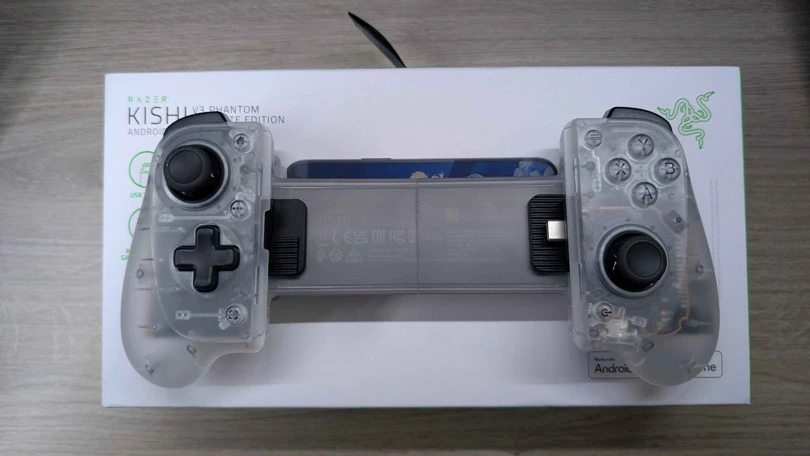
Another very positive point is the TMR sticks, which are not yet very widespread in the industry but which nevertheless offer much greater precision. Hall Effect sticks usually use magnets to sense movement. TMRs, on the other hand, detect movement using magnetic resistance at a quantum level. It should also be pointed out that the caps can be replaced on the Pro and ProXL versions, thanks to the two spare caps supplied.
If, like me, you're very sensitive to the little 'clicks' of keyboard keys, for example, you'll find the same sensation with the Kishi V3's sticks and buttons. Speaking of sensation, you'll also be able to take advantage of haptic feedback on the Pro and Pro XL versions, a bit like on Playstation's Dual Play, which enhances immersion. On the D-pad side, however, the feeling isn't quite as fluid.
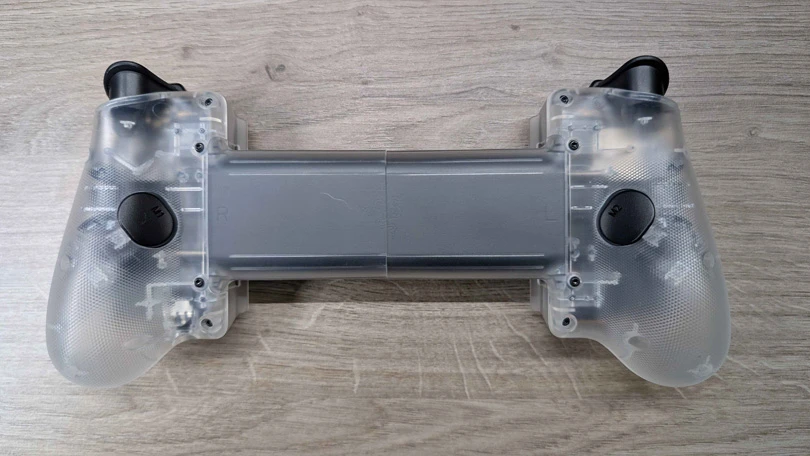
Finally, there are two or four extra buttons on the back of the controller, which you can assign to any action. This way, you're sure toretain all the game's functionality.
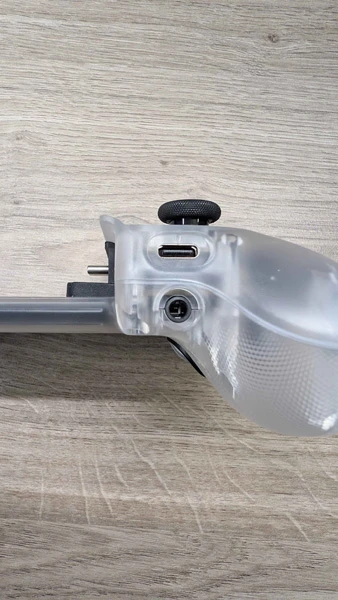
As I said earlier, the Razer Kishi V3 is not compatible with Apple's Lightning port. It only works with a USB-C port, which lets you recharge it while you play. You can also connect headphones, thanks to the integrated jack port , even if your smartphone doesn't have any.
The Nexus on the Razer Kishi V3 is really the equivalent of the Backbone application. This launcher lets you save your games and share them, but above all, Nexus works like a virtual controller. In other words, whatever game you want to play, even if it's a touch-only game, Nexus lets you play it.
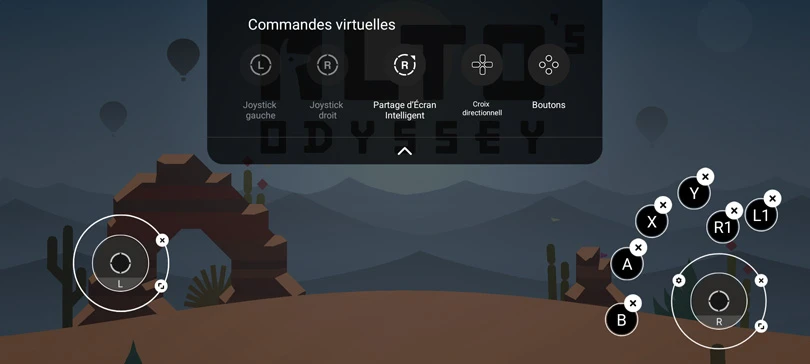
No need to use a virtual controller like Mantis, which is really handy. You can even play remotely from your PC. Of course, the Nexus launcher comes with the Kishi V3 controller and requires no additional purchase.
If you're familiar with the Razer Kishi Ultra from last year, then you might not notice much difference from the Kishi V3 we're presenting here. The fact remains that this model makes an excellent mobile controller, even if the Pro and Pro XL versions are a little less portable due to their large size. In other words, our verdict on the Razer Kishi V3 is positive!
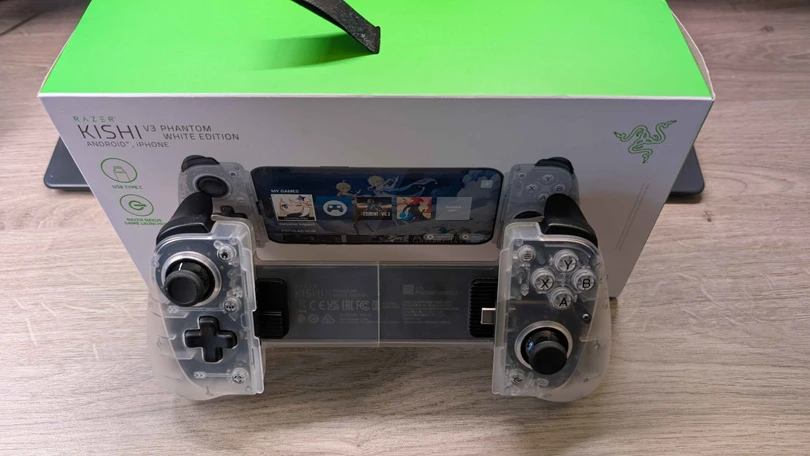
The build quality is obviously top-notch, even if its light weight can give a 'cheap' impression. The main drawback is the price: you'll have to pay $150 for the Pro version, $200 for the Pro XL version and $100 for the classic V3 version.
Follow us on our social networks to stay on top of mobile gaming news wherever you are!


At Mobi.gg, we're experts in mobile games, but we also test stuff to help you play with maximum comfort. And what could be better than an Android or iOS smartph...
Mobile gaming has exploded in popularity in recent years, and for many gamers, playing on a touch screen isn't always optimal. For a more immersive gaming exper...

Looking to improve your smartphone gaming experience? Then you've come to the right place! Because many mobile gamers are looking to optimis...
More and more manufacturers have understood this and are getting into it: gaming phones are on the rise! Let's face it, smartphones are now real technological m...

Are you looking for a gaming tablet but don't know which one to choose? Let us help! As you know, our speciality is to offer you the best possibl...

Need help solving Pedantle #1515 of July 11, 2026? Then you've come to the right place. Here you'll find clues and hints to help you find the Wikipedia page of...