




 EN
EN


Arknights: Endfield


Written by
Arknights: Endfield is the must-have gacha RPG, combining real-time strategic combat with basic management and automation. To get the most out of your experience, avoid draining your phone's battery and stop being bothered by notifications, here's how to download the game to your computer. You can play Arknights: Endfield on PC and Mac, here's a step-by-step tutorial.
Playing Arknights: Endfield on your PC or Mac is a real bonus for your comfort! Here are the advantages of playing Endfield on your computer:
⚡Our tip: to optimise your PC and mobile experience, we've put together a comprehensive guide to the system requirements for Arknights: Endfield.
The best way to play Endfield on your computer? The official Gryphline launcher, provided by the game's developer and publisher. Here's a tutorial to help you download it.

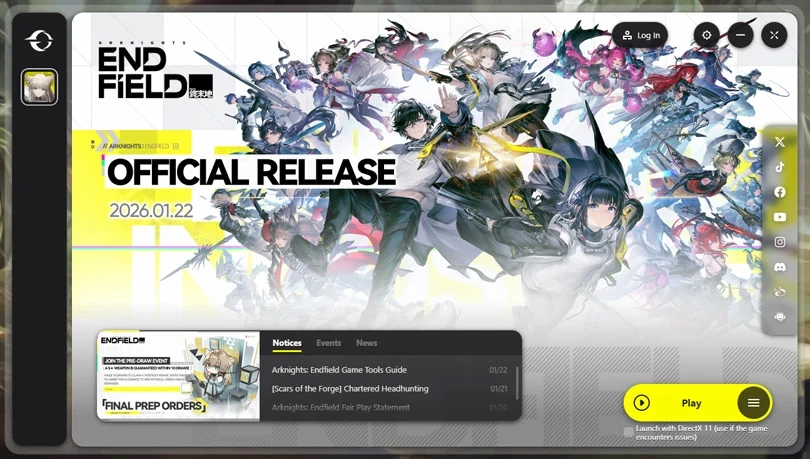
Now all you have to do is get started!
⚡ Please note : unfortunately, the Gryphline launcher is not available on Mac. Rest assured, later we'll see how to play the game on macOS!
BlueStacks is an emulator capable of recreating an Android environment on your computer. Thanks to this tool, you can play Endifled on your PC! Here's a tutorial on how to use BlueStacks.
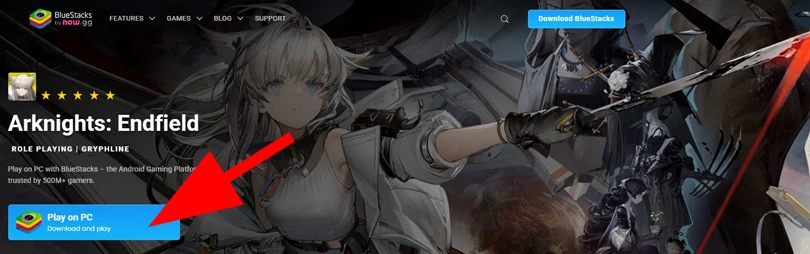
Now you can play Endfield on your PC! And for an even more enjoyable experience, check out our guide to optimising BlueStacks performance.
⚡ Optimise your experience: For maximum fluidity, we recommend BlueStacks 5 with an Android 11 (Beta) or Pie 64-bit instance.
It's not so easy to find Android emulators for Apple devices. Want to play Endfield on a Mac? We recommend using BlueStacks Air, the best solution for creating an Android environment on macOS.
Follow these steps to play Arknights: Endfield on Mac:
⚡ Going further : we've put together a selection of the best Android emulators on PC, as well as a top emulators on Mac. Don't hesitate to take a look!
Arknights: Endfield is also available via the Epic Games Store, for Windows users only. If you're interested in this solution, here's how to get started:
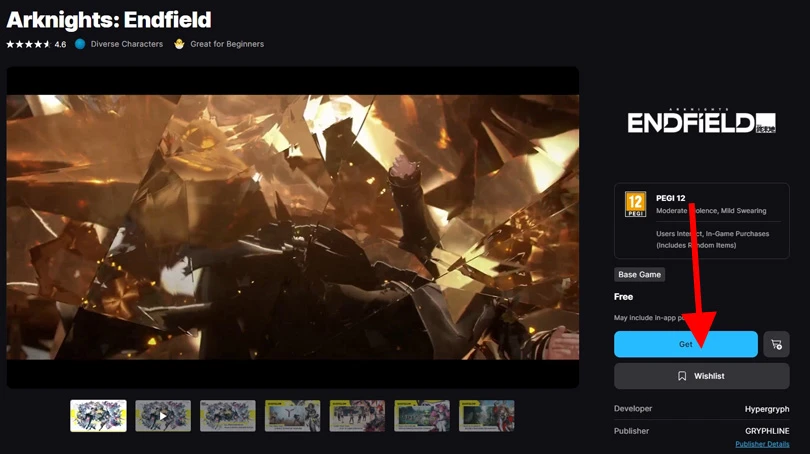
You're done! You can now play Arknights: Endfield on your PC via EGS.
The last solution for playing Arknights: Endfield on Windows PC is to use Google Play Games. Once again, this method is very simple to set up. Here's how to do it:
Playing Arknights: Endfield on your PC via the Gryphline launcher is ideal, so you can enjoy your tactical RPG with all the comfort you need! But there are other ways of installing the game on your computer. The editors have put together some other guides to help you get the most out of the game, so check them out:
Enjoy the game!
To play Arknights: Endfield on PC, you will need a minimum of 50 GB of available space.
For the moment, this is not possible. However, we can hope that services such as now.gg or CloudMoon will soon offer this functionality.
Arknights: Endfield is cross-save. So you can resume your progress on any device, mobile or PC.
Follow us on our social networks to stay on top of mobile gaming news wherever you are!


Building and automating your AIC (Automated Industry Complex) is at the heart of the gameplay in Arknights: Endfield. But the whole mechanic can seem daunting!...

Unlike its predecessor, Arknights: Endfield is a real-time tactical RPG. Team composition is therefore at the heart of your gameplay. Managing combos, positioni...

Arknights: Endfield offers fast-paced, strategic combat, based on a team of 4 Operators. As Endministrator, you'll have to choose the best characters in the gam...
Arknights: Endfield, Gryphline's real-time strategy RPG, promises a vast world and advanced construction mechanics. But is it possible to discover Talos-II with...

Endfield is not a simple tower defence game like its big brother, but an ambitious 3D RPG with real-time exploration and strategic combat. This technological le...

You'll need a huge amount of resources to explore Talos-II in Arknights: Endfield. Looking for Oroberyl, Combat Records or Protoprisms? Then you've come to the...
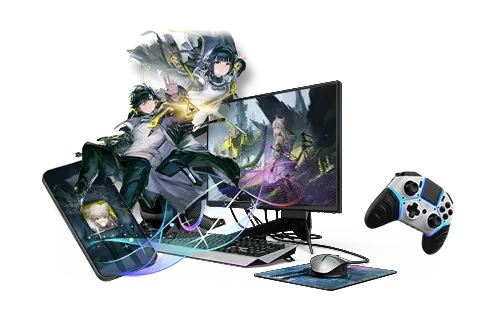
Better graphics and performance 🚀
Even more epic battles ⚔️
Save your battery 🔋
Download on PC