




 EN
EN


Arknights: Endfield



Written by
Endfield is not a simple tower defence game like its big brother, but an ambitious 3D RPG with real-time exploration and strategic combat. This technological leap requires considerable resources. Can your device handle it? We take a look at the system requirements for playing Arknights: Endfield on Android, iOS and PC!
On PC, Arknights: Endfield offers an optimal experience, with Nvidia's DLSS 4 (a technology that boosts FPS) on compatible devices.
Having tested the game on PC, I can guarantee that in terms of graphics and performance, you won't be disappointed. Here are the minimum and recommended system requirements for Arknights: Endfield on Windows PC:
| Component | Minimum system requirements | Recommended configuration |
|---|---|---|
| Operating system | Windows 10 or 11 64 Bits | Windows 10 or 11 64 Bits |
| Processor | Intel Core i5 | Intel Core i7 |
| Graphics card | NVIDIA GTX | RTX 2060/3060 |
| RAM | 16 GB | 16 GB RAM |
| Available space | 50 GB or more | 50 GB or more |
⚡ Mobi.gg's tip: install the game on an SSD rather than an HDD hard drive, otherwise loading times are likely to be quite long...!
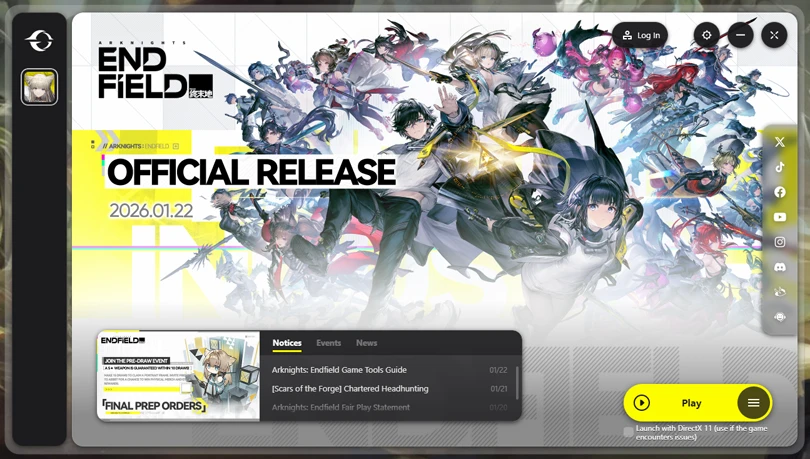
Arknights: Endfield is playable on PC via :
⚡ Mobi.gg tip: are you on a Mac? If so, you'll be able to play Arknights: Endfield thanks to BlueStacks Air, the Android emulator for Apple devices.
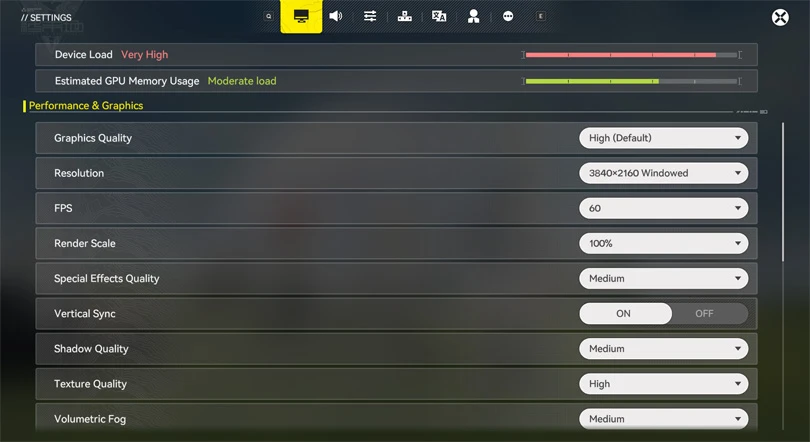
If you have the minimum system requirements to play Arknights: Endfield, or simply want to make your game less demanding, here's my advice:
Don't worry, Arknights: Endfield isn't the most demanding game you'll find on the Android store. However, you will need sufficient storage space and a fairly powerful processor.
| Components | Minimum configuration | Recommended configuration |
|---|---|---|
| Operating system | Android 10.0 or HarmonyOS 2.0.0 | Android 11.0 or HarmonyOS 4.0.0 |
| Processor | Snapdragon 855, Dimensity 1000, Kirin 9000S | Snapdragon 8+ Gen1, Dimensity 9000, Kirin 9000S |
| Memory | 6 GB | 8 GB memory |
| Storage | 25 GB storage | 25 GB |
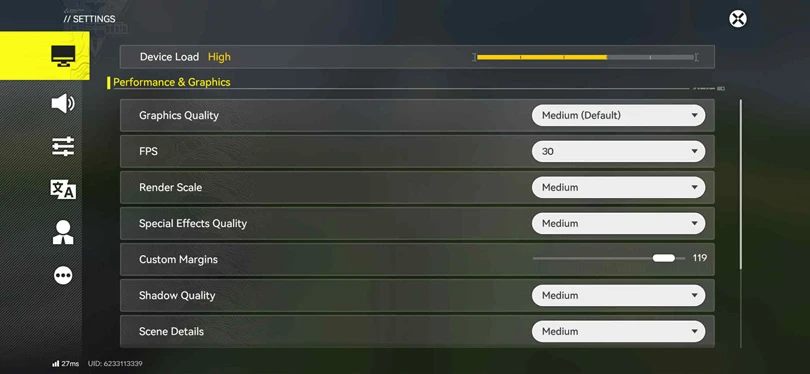
⚡ Tip from Mobi.gg: here again, if your configuration is a little weak, I suggest you set the FPS (IPS) to 30, rather than 60! Go to the game settings to do this.
If you've got the latest iPhone or iPad, you're in for the ultimate mobile experience. Older models, on the other hand, are likely to suffer...!
| Components | Minimum configuration | Recommended configuration |
|---|---|---|
| Operating system | iOS 15.0, IPadOS 15.0 or later | iOS 15.0, IPadOS 15.0 or later |
| Models | iPhone XS, or iPad with A12 chip | iPhone 13 Pro, or iPad with A15 chip |
| Memory | 4 GB | 6 GB |
| Available space | 25 GB | 25 GB |
Same advice as above: go to settings and lower the FPS if your iPhone or iPad isn't powerful enough to handle optimum performance.
It's always possible to optimise your configuration for Arknights: Endfield, whether you're playing on Android, iOS or PC. Here are a few tips!
You now have all the information you need to get the most out of your game experience , whatever your hardware. Even with the minimum Arknights: Endfield configuration, you're sure to enjoy your Talos-II adventure! And to enjoy it even more, don't forget to check our list of Arknights: Endfield codes! We update it daily.
Arknights: Endfield has controller support, whether you're playing on Android, iOS or PC!
Arknights: Endfield is not available on Steam. It is therefore not Steam Deck compatible.
The game is cross-platform. So you'll be able to retrieve your progress, whatever your device!
Follow us on our social networks to stay on top of mobile gaming news wherever you are!



Arknights: Endfield is the must-have gacha RPG, combining real-time strategic combat with basic management and automation. To get the most out of your experienc...
Building and automating your AIC (Automated Industry Complex) is at the heart of the gameplay in Arknights: Endfield. But the whole mechanic can seem daunting!...

Unlike its predecessor, Arknights: Endfield is a real-time tactical RPG. Team composition is therefore at the heart of your gameplay. Managing combos, positioni...
Arknights: Endfield offers fast-paced, strategic combat, based on a team of 4 Operators. As Endministrator, you'll have to choose the best characters in the gam...
Arknights: Endfield, Gryphline's real-time strategy RPG, promises a vast world and advanced construction mechanics. But is it possible to discover Talos-II with...

You'll need a huge amount of resources to explore Talos-II in Arknights: Endfield. Looking for Oroberyl, Combat Records or Protoprisms? Then you've come to the...
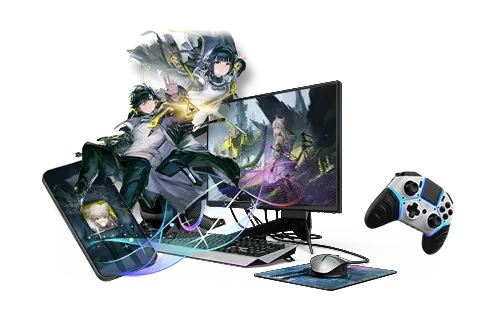
Better graphics and performance 🚀
Even more epic battles ⚔️
Save your battery 🔋
Download on PC