

 EN
EN


Neverness to Everness


Written by
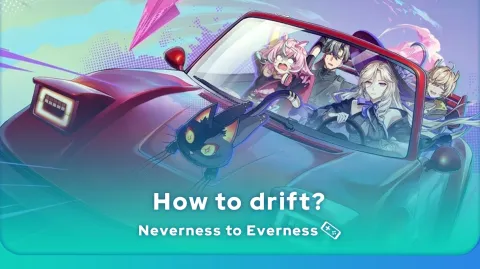
To become a proper driver, you need to learn how to master cornering. In this guide, Mobi.gg explains how to drift in Neverness to Everness, with plenty of tips on how to practise and optimise your vehicle!
Knowing how to drift in NTE can be a bit tricky. You need to have a good grasp of the car’s controls and, above all, get the timing right. We’ll explain how to drift properly, depending on your device.
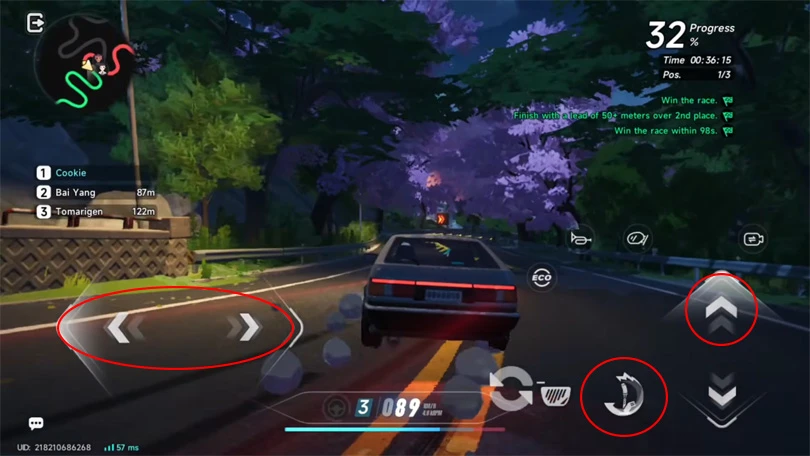
Whether you’re playing on mobile with a controller, or on PC with a keyboard and mouse, the method is exactly the same.
⚡Mobi.gg Bonus: We’ve put together a Neverness to Everness vehicle tier list!
Now that you know how to drift on Neverness to Everness, here are a few tips to optimise your braking:
Knowing how to drift in NTE is all well and good. But you still need to practiseto really get to grips with the mechanics! To do this, Mobi.gg recommends reducing road traffic in the game settings. That way, you’ll be alone on the road and avoid colliding with other vehicles.
Here’s how to do it:
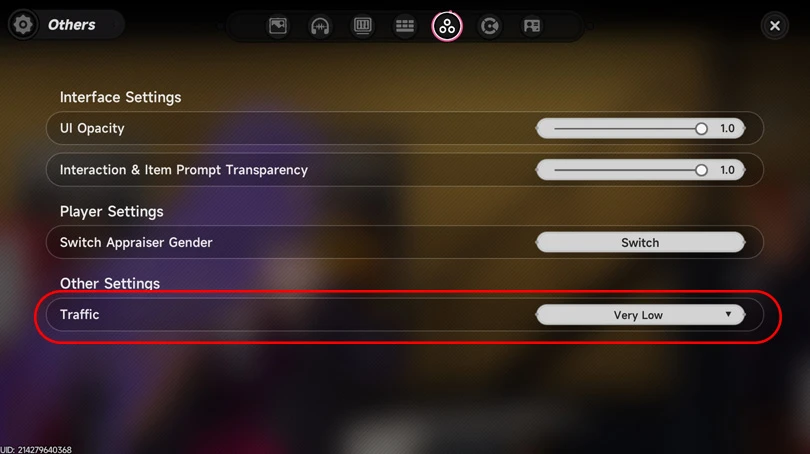
This way, you’ll encounter very few cars and can practise the Neverness to Everness drift more easily.
To optimise your drifting in NTE, you can modify your car with parts that affect wheel slip. These are represented by the icon below (AF).
⚡ Good to know: to customise your car, you need to visit a garage! You can’t do this via the menu.
Now that you know how to drift in Neverness to Everness, you need to find the best roads to practise on. Mobi.gg has a few suggestions:
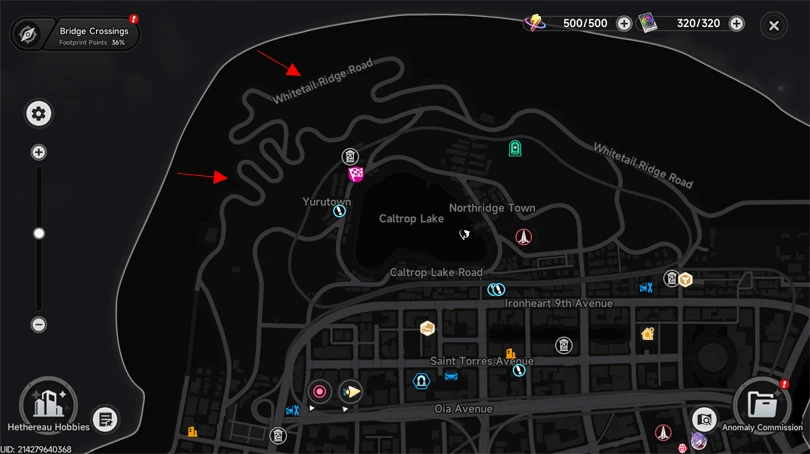
There you go, drifting in Neverness to Everness holds no more secrets for you! Need more guides to master the game? We’ve got just what you need:
Enjoy the game!
Follow us on our social networks to stay on top of mobile gaming news wherever you are!


Neverness to Everness is a game about exploring the world of Hethereau. But enemies and bosses will get in your way. To beat them, you need to get the best char...
Shinku arrived in Neverness to Everness on 8 July 2026. She is the new character from the limited-time banner, and her unique feature is that she fights using a...
Did you love Neverness to Everness and want to find another game that’s just as original and packed with content? You’ve come to the right place! He...
Chaos arrived on 24 June 2026 in Neverness to Everness. He is the new character from the limited-time banner, whose unique feature is that he fights alongside a...
The Neverness to Everness Eternal waltz is one of the many Arcs available. What are its stats and effects? Which characters are best suited to this Arc, an...
Fadia is an enigmatic character in NTE who works for the Bureau of Anomaly Control. She is known for fighting with a huge cross-shaped shield. Here’s a Nevernes...

Better graphics and performance 🚀
Even more epic battles ⚔️
Save your battery 🔋
Download on PC