




 EN
EN


Written by
Published on

Written by
Like many mobile games players, are you looking for the best Android emulator to play on your PC? You've come to the right place, because here we're going to compare two competitors, BlueStacks vs LDPlayer. Which one should you choose? Which one offers the best performance? We take a look.
To choose the right Android emulator for your PC, you need a few points of comparison. Here we take a look at the CPU and GPU performance of BlueStacks versus LDPlayer. The test was carried out using the Geekbench 6 and Antutu benchmarks in July 2025. Both are benchmark tools for evaluating CPU/GPU performance across smartphones and tablets.
This table shows the Geekbench 6 benchmark scores for the CPU performance of BlueStacks VS LDPlayer.
We can see that for each machine on which the tests were carried out, BlueStacks 5 is better, both single-instance and multi-instance. For the Intel CPU i5-1155G7, BlueStacks scored 42.4% higher. It is 21.4% higher for AMD CPU AMD Ryzen 7 4800H.
| CPU type | BS5 (Single) | LD (Single) | BS5 (Multi) | LD (Multi) |
|---|---|---|---|---|
| Intel CPU i5-1155G7 | 1661 | 1227 | 4000 | 2809 |
| AMD CPU AMD Ryzen 7 4800H | 1338 | 1117 | 3452 | 2842 |
Here, "single" means single-core performance (isolated task execution). " Multi" refers to multi-core performance (simultaneous workload handling)
As before, this table shows that the performance of BlueStacks 5 measured with Antutu is better than that of LDPlayer.
| GPU type | BS5 | LD |
|---|---|---|
| GPU NVIDIA GeForce RTX 2060 SUPER | 1,152,221 | 806,276 |
| AMD GPU Radeon RX 580 2048SP | 1,120,779 | 890,641 |
The Antutu score is 42.9% higher for the GPU NVIDIA GeForce RTX 2060 SUPER, and 25.8% higher for the AMD GPU Radeon RX 580 2048SP. Summing up these two tests, we can see that BlueStacks 5, the latest version of the Android emulator for PCs, performs much better and more efficiently than its rival, LDPlayer.
While performance is an excellent point of comparison between BlueStacks VS LDPlayer, it's not enough to choose the right Android emulator for your PC. It's also important to take into account features and ease of use. That's why I recommend using BS5 rather than LDPlayer:
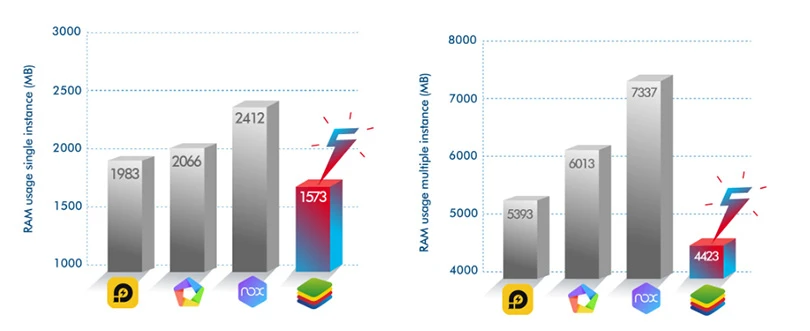
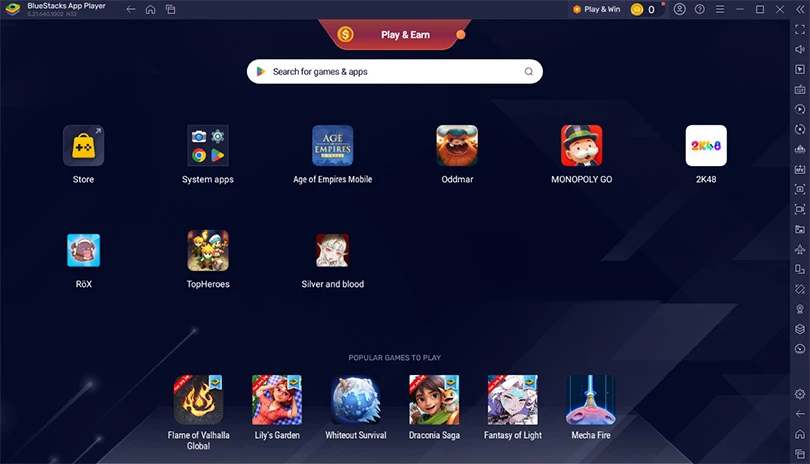
We could also have mentioned the BlueStacks 5 cashback and rewards system, which allows you to collect some pretty interesting in-game bonuses. Are you still wondering which emulator to choose, between BlueStacks vs LDPlayer? Now you have your answer: BS5 is definitely the PC Android emulator to choose! And if you own a Mac, don't hesitate to try out BlueStacks Air!
Follow us on our social networks to stay on top of mobile gaming news wherever you are!



You've just installed BlueStacks 5 and want to know how to optimise your Android emulator? To get the best possible performance, follow the guide!In this a...

In this guide, we'll detail how to download and play Harry Potter: Magic Awakened on PC. Two methods are possible: via the official Portkey Games emulator or vi...

Pirates of the Caribbean: ToW is available on Android and iOS, but you can also play it on PC or Mac via the browser version (official) or via an Android emulat...

We will explain how to play Dragon Ball Z Dokkan Battle on PC. The advantages are numerous: improved game comfort, battery that does not overheat or the possibi...

Want to play Switch games on mobile? It wasn't possible until now. Good news, though, as Skyline, the first Nintendo Switch emulator on mobile, is now available...

In this tip, we will see how to download Gacha Club to your PC or Mac. The procedure will allow you to play your favourite application as well as all your other...