



 EN
EN


DISSIDIA DUELLUM FINAL FANTASY



Written by
Want to play Dissidia Duellum Final Fantasy on PC ? Unfortunately, the game doesn't have an official Windows client. And we know that playing on a small screen can be frustrating (battery overheating, lack of precision...). Fortunately, we have two reliable methods for testing the game on your computer. Classic emulators don't work, so follow the guide!
You're probably familiar with BlueStacks, the Android emulator for PC. But in its classic version (Android 9, Android 11 or Nougat), it's impossible to play Dissidia Duellum. To do this, you need the Android 13 Beta version. Here's how to install it.
⚡ To find out more: the editors at Mobi.gg have put together a guide to the best Android emulators on PC!
⚠️ Warning: have you already installed BlueStacks Classic on your PC? If so, you'll need to uninstall it.
To do this
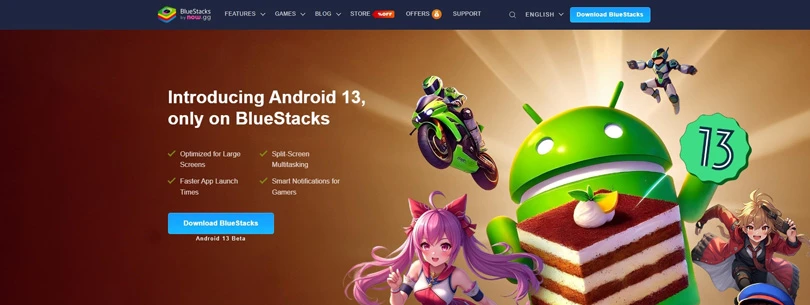
You're done? You can now download BlueStacks Android 13 beta. All you have to do is install it.
To play Dissidia Duellum FF in the best possible conditions, we recommend that you read our guide to optimising BlueStacks performance.
Is BlueStacks Android 13 Beta installed and optimised? Now go to the emulator search bar:
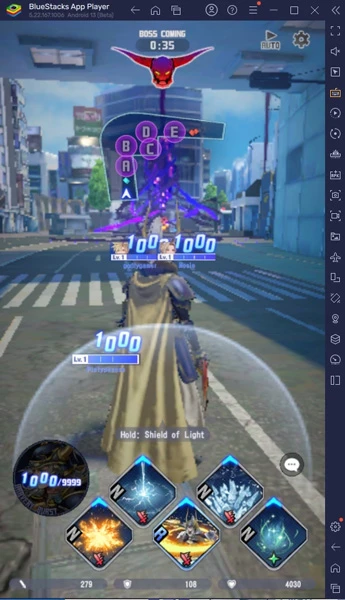
Now you can play Dissidia Duellum Final Fantasy on your PC!
For those who don't want to or can't use an emulator, you can opt for the Screen Mirroring method. The principle is simple: you project your phone screen onto your computer. You can then play Dissidia Duellum on your PC.
The advantage? No loss of progress, just the power of your smartphone, no need for a third-party account.
⚡ Find out more: Mobi.gg has put together a comprehensive guide to Screen Mirroring.
So why try out Square Enix's fighting game on the PC? In reality, playing Dissidia Duellum Final Fantasy on the PC offers you a number of advantages:
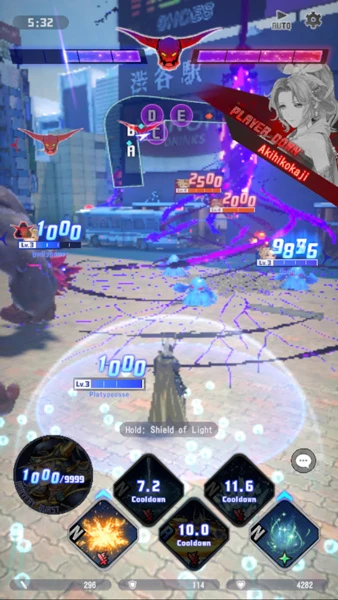
Now you know how to play Dissidia Duellum on your PC! And if you want to progress further in the game, check out our Dissidia Duellum tier list of the best characters.
Enjoy the game!
Follow us on our social networks to stay on top of mobile gaming news wherever you are!



To defeat the Tokyo bosses and the opposing team, you need to assemble a team of 3 formidable characters. But to reach the top of the leaderboard, which one sho...

Today marks the release of Dissidia Duellum Final Fantasy, the new mobile game from Square Enix! But this is not a visual novel like Paranormasight or an RPG, b...

Need help solving Pedantle #1518 of July 14, 2026? Then you've come to the right place. Here you'll find clues and hints to help you find the Wikipedia page of...

Need help solving Pedantle #1517 of July 13, 2026? Then you've come to the right place. Here you'll find clues and hints to help you find the Wikipedia page of...

Need help solving Pedantle #1516 of July 12, 2026? Then you've come to the right place. Here you'll find clues and hints to help you find the Wikipedia page of...

Need help solving Pedantle #1515 of July 11, 2026? Then you've come to the right place. Here you'll find clues and hints to help you find the Wikipedia page of...