




 EN
EN


Guild of Heroes


Written by
In this guide, we'll look at how to download and play Guild of Heroes on PC. We will use an Android emulator to simulate your phone on your computer.
I chose BlueStacks which is currently the most secure and the most powerful. Moreover, it is compatible with Windows and Mac. Download Guild of Heroes on PC
As mentioned in the introduction to this guide, you need to simulate an Android mobile phone in order to play Guild of Heroes on PC.
First, go to this Guild of Heroes - Fantasy RPG download page to download the game and emulator.
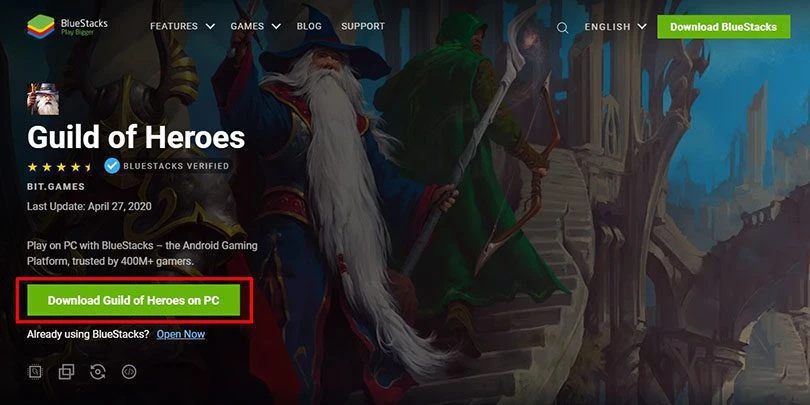
Once the download is complete, install BlueStacks like any other software by clicking on "Install Now" and wait for the engine to launch. Once this is done, you will need to set up your Google account (like when setting up a new mobile) to complete the configuration.
I advise you to use the Google account where you have all your mobile game saves.
Once the engine is running and your Google account setup is complete, go to the Guild of Heroes Google Play page by clicking on the icon on the BlueStacks homepage. Alternatively, open the Google Play app and search for "Guild of Heroes".
Once on the page, click on "Install" to start the download of Guild of Heroes on PC.
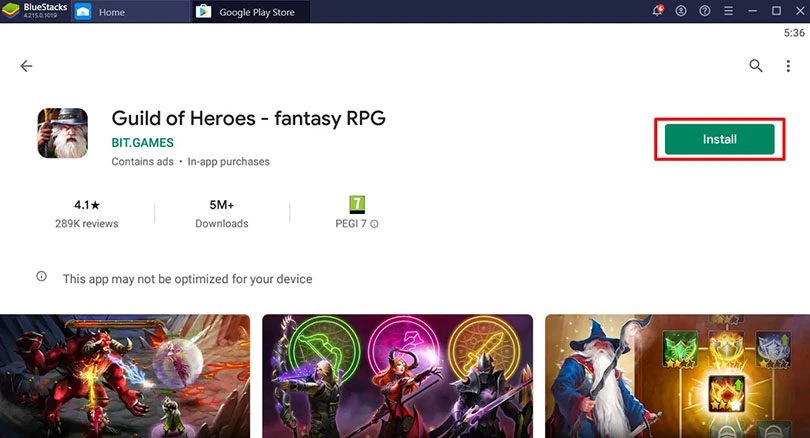
And there you go, all you have to do is open the game to play Guild of Heroes on your computer via the Android emulator!
If you want to play Guild of Heroes on PC, you probably already have a mobile game. Here we'll look at how to get your progress back.
First of all, launch the game and then finish the tutorial. Then click on the gear at the top right of your screen.
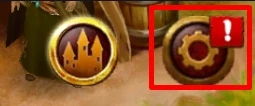
Then in the account tab, sign in to your Google Play Games account. Please note: you must have done this first on your mobile before doing it on your PC.
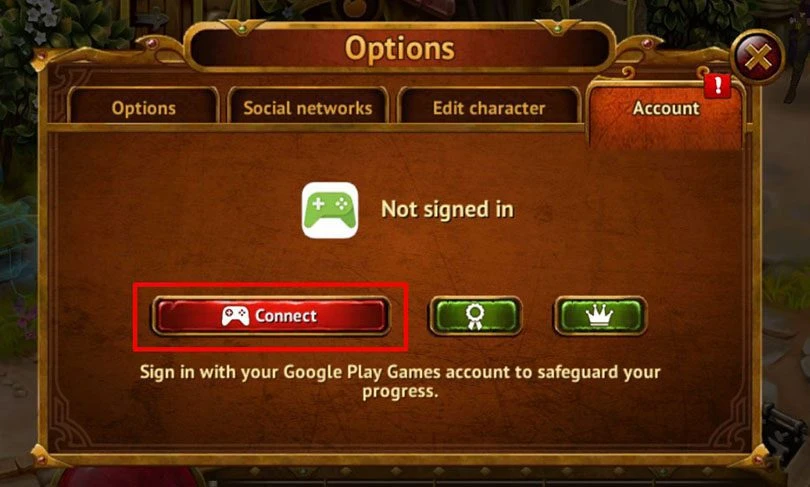
And that's it, we've covered everything you need to do in this guide so you can play Guild of Heroes on your Windows or Mac computer with better graphics and performance!
If you encounter any problems during installation or have any questions, feel free to leave a comment or consult our guide to optimizing BlueStacks. 😉
Playing Guild of Heroes on PC (or any other mobile game), via an Android emulator, is totally allowed. As we explain in our installation tutorial, we use the BlueStacks emulator every day for our various tests. In addition to being secure, it is powerful and free. And of course, 100% legal!
To play Guild of Heroes on PC with the Bluestacks 4 emulator, the minimum system requirements are as follows
Here is the recommended configuration to optimize your game experience on Guild of Heroes :
If you started the game on iPhone or iPad, it will unfortunately not be possible to recover your progress and merge your account to continue playing on Android. This is because the game uses Google Play Games for account synchronisation and therefore only works with Android environments.
The PC version of this game is the same (in terms of gameplay) as the mobile version. When we talk about the computer version, we are simply talking about the game being run via an Android emulator for PC. However, the gameplay is quite different: mouse, keyboard and joystick controls. And not to mention the graphics, which are much more optimised on the PC (full HD, QHD)!
Follow us on our social networks to stay on top of mobile gaming news wherever you are!



Need help solving Pedantle #1518 of July 14, 2026? Then you've come to the right place. Here you'll find clues and hints to help you find the Wikipedia page of...

In Travel Town, you need energy to craft items. This resource allows you to obtain jars filled with pebbles, which you can then fuse to create items, and fuse t...

Need help solving Pedantle #1517 of July 13, 2026? Then you've come to the right place. Here you'll find clues and hints to help you find the Wikipedia page of...

The Clash of Critters Treasure Hunt is one of the game’s many events. But be warned: this event is far more strategic than it looks. So, how do you unearth as...

Need help solving Pedantle #1516 of July 12, 2026? Then you've come to the right place. Here you'll find clues and hints to help you find the Wikipedia page of...

Need help solving Pedantle #1515 of July 11, 2026? Then you've come to the right place. Here you'll find clues and hints to help you find the Wikipedia page of...
Leave a comment
Your email address will not be published. Required fields are marked with*.