



 EN
EN


Azur Lane


Written by
In this tip, I will show you how to play Azur Lane on a PC or Mac. To do this, we will need to simulate Android on your computer using an Android emulator.
For this tutorial, I chose to use BlueStacks because it is the most powerful and secure of those I tested. Moreover, it is compatible with Windows and Mac. Download Azur Lane on PC
As I explained to you, in order to play a mobile game on a PC, you need to simulate an Android environment and therefore be able to play Azur Lane on a PC!
First, go to this Azur Lane download page to download the emulator and the game.
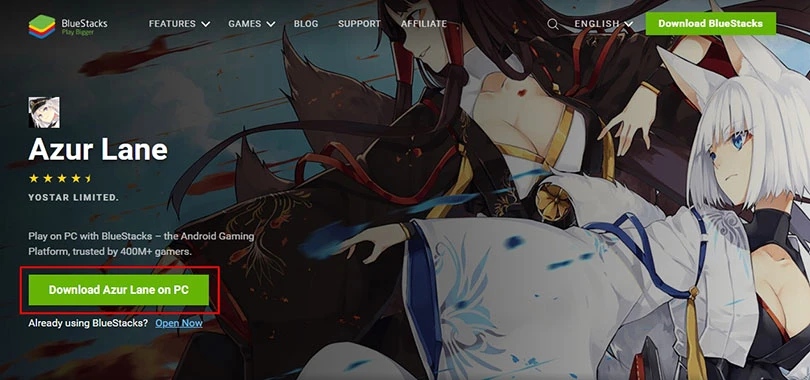
Once you have downloaded the emulator, click on the installer and then click on the "Install Now" button.
The installation and launch of the Android engine will take a few minutes and then you will need to set up your Google account (like a new smartphone) to complete the configuration.
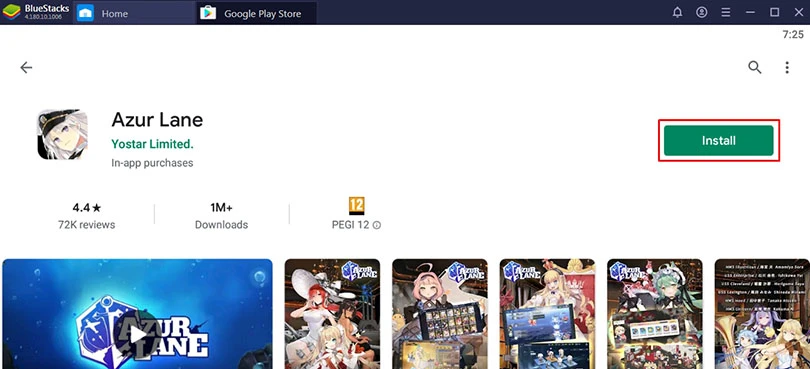
Once the installation is complete and you have set up your Google account, close the page and click on the Azur Lane icon on the homepage or search for "Azur Lane" on the BlueStacks Google Play app.
To start the download, click on the "Install" button.
So now you know how to play Azur Lane on PC! I advise you to modify your keyboard controls for Azur Lane and use them otherwise it is quite complicated to play.
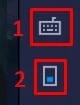
In the screenshot above, 1 is for editing your keyboard controls and 2 is for enabling your keyboard controls. And that's it 😉
Here's one last little trick to get your mobile progress back on the PC.
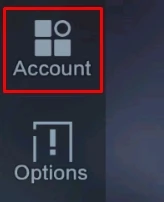
If you do not yet have an account with Azur Lane, go to your mobile phone and click on Settings on the right-hand side of your screen (on the Azur Lane homepage).

Then click on the Account tab.
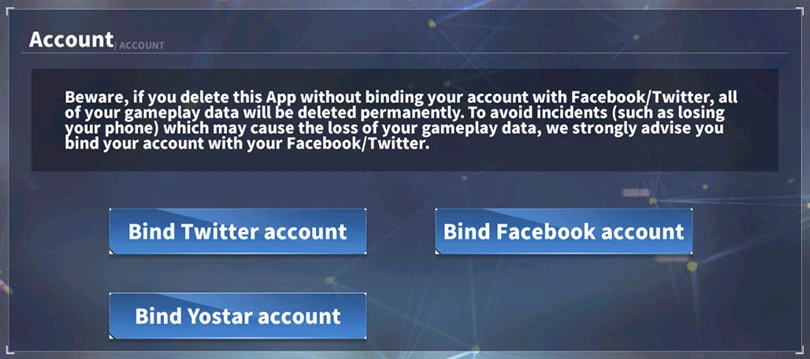
Once on the tab, you can now link your account to Twitter or Facebook or create an account on Yostar.
Once this is done, go to the Android emulator that we have just installed on your PC and launch the game.
Simply log in to the same account you linked to on your mobile from the Azur Lane loading page:
Now you have all the tools you need to play Azur Lane on your PC with better graphics and performance!
If you have a question or an installation problem, please leave a comment or visit our article on optimizing BlueStacks.
Whether it's for Azur Lane or any other mobile game, installing an Android emulator on your PC is totally allowed. As explained in this guide, we use the BlueStacks emulator for all our tests. In addition to being 100% free, it is also secure and very easy to use!
To play Azur Lane on PC with Bluestacks 4 emulator, the minimum system requirements are as follows:
Here are the recommended settings to optimize your Azur Lane gaming experience:
Yes, it's possible! It's very simple, you can sync your Azur Lane game account via Facebook and retrieve your progress. So, if you started playing on an iPhone and you migrate to an Android phone or if you play on a PC thanks to an emulator (as explained in our tutorial), all you have to do is connect via the social network so that you don't have to start the game from the beginning.
The mobile version of Azur Lane and the PC version, have no difference in gameplay as it is the same game! But as you play on PC with an Android emulator, you get better graphics (big screen, full HD, etc.) and also, you can play with mouse, keyboard, joystick and set multiple options!
Follow us on our social networks to stay on top of mobile gaming news wherever you are!



If you're looking to create the best Azur Lane shipgirl team, you'll find the character rankings here. That's why we're meeting today for a full tier list Azur...

The game where you collect women-boats celebrates its 3 years of existence in August 2021. For Azur Lane's 3 year anniversary, this gacha based on naval battles...

Need help solving Pedantle #1518 of July 14, 2026? Then you've come to the right place. Here you'll find clues and hints to help you find the Wikipedia page of...

In Travel Town, you need energy to craft items. This resource allows you to obtain jars filled with pebbles, which you can then fuse to create items, and fuse t...

Need help solving Pedantle #1517 of July 13, 2026? Then you've come to the right place. Here you'll find clues and hints to help you find the Wikipedia page of...
The Clash of Critters Treasure Hunt is one of the game’s many events. But be warned: this event is far more strategic than it looks. So, how do you unearth as...
Leave a comment
Your email address will not be published. Required fields are marked with*.